Evoluent Mouse-Friendly Keyboard
Reduced Reach
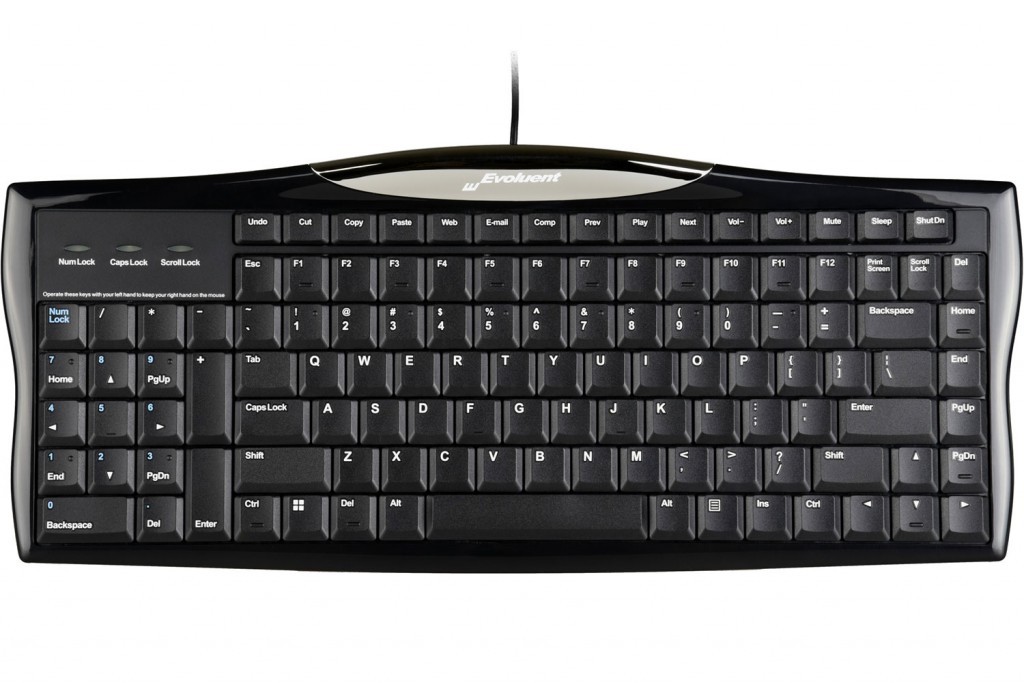
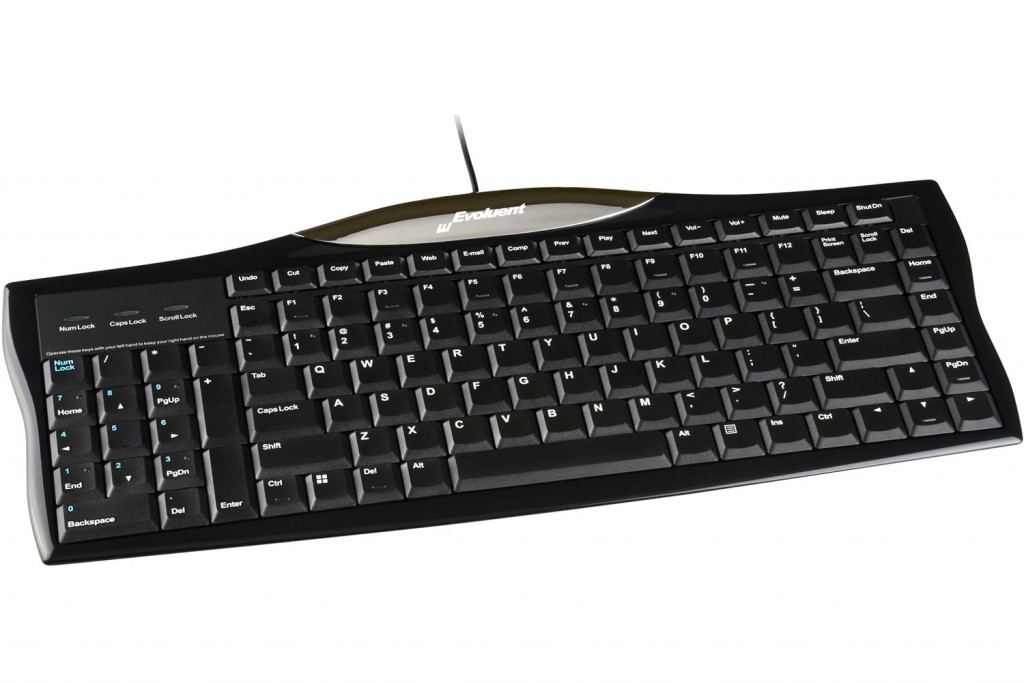
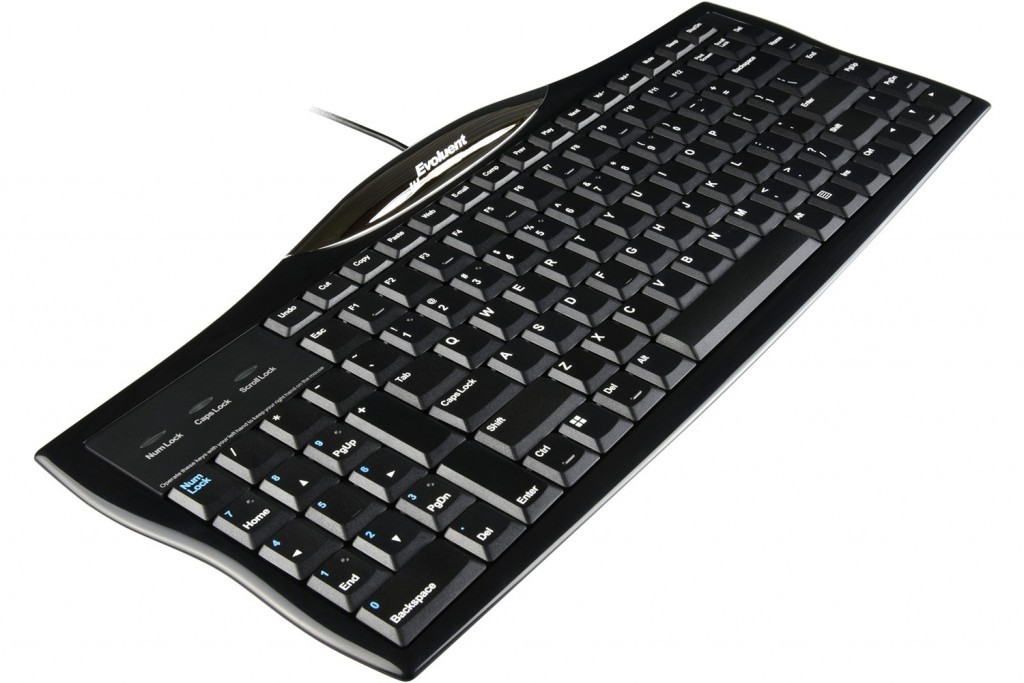
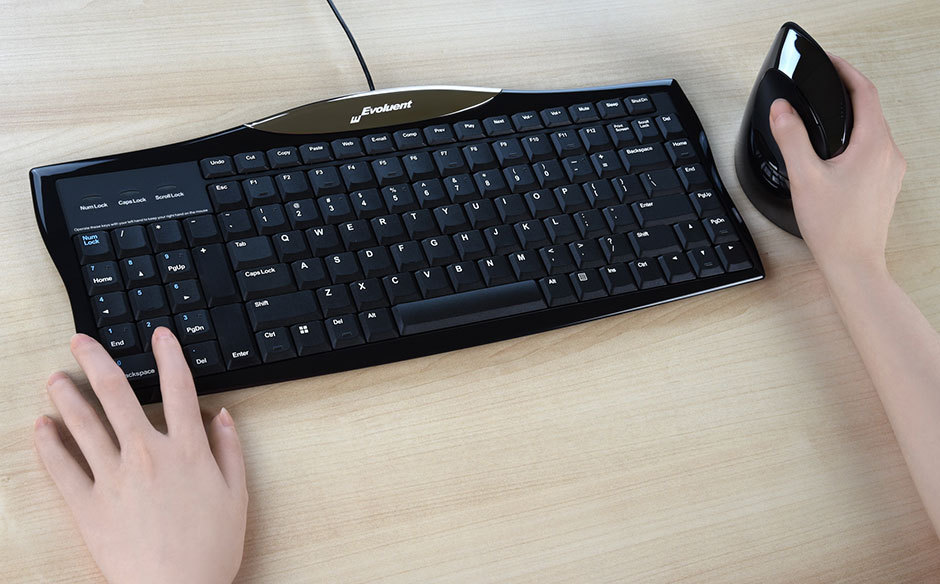
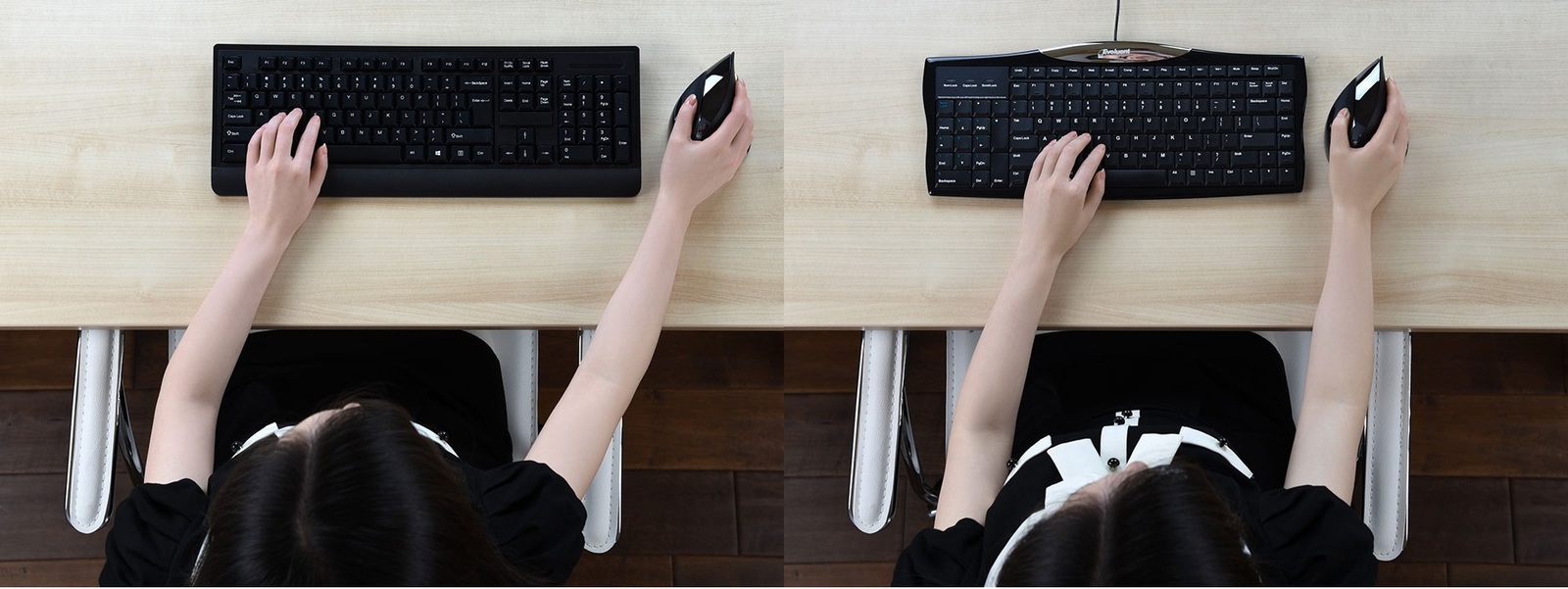

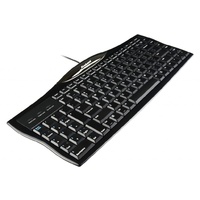
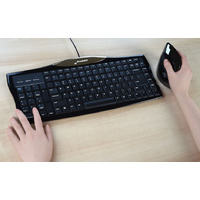


The Evoluent Mouse-Friendly Reduced Reach Right-Hand Keyboard that has Keyboard's numeric pad is situated to the left is the new and improved version of the famous Evoluent Mouse Friendly Keyboard. Known as a great alternative to a compact keyboard. The only difference is that it still includes a numeric pad, which is situated to the left instead of the traditional right hand side.
Features and Benefits of the Evoluent Mouse-Friendly Reduced Reach Keyboard / Mouse Friendly Keyboard
▪ Eliminates stretching your arm to reach the mouse by having the numeric keypad on the left.
▪ Your mouse may be much closer on the right.
▪ Allows your right arm to be in a relaxed neutral position when using the mouse.
▪ Reduces the need to remove your hand from the mouse by allowing your left hand to operate Enter, Del, Page Up, Page Down, arrows, and other keys in the numeric keypad on the left.
▪ Hot keys for one touch access to the Internet, e-mail, media player, volume control, standby, power off, and other functions.
▪ High quality, notebook computer-type key mechanisms with precision feel.
▪ Only 20 mm thick overall with ultra flat key caps.
▪ Full functionality in Windows XP, Win 7. Some hotkeys on top row may not work in other Windows versions.
▪ Works with Unix, and Linux except the hotkeys on the top row.
Not compatible with Mac.
- 403mm Wide
- 171mm Deep
- 20mm High
- Slim / Compact Keyboard
- Built in Numeric Pad
Warranty Period: 12 Months
Evoluent Mouse-Friendly Keyboard

- 403mm Wide
- 171mm Deep
- 20mm High
- Slim / Compact Keyboard
- Built in Numeric Pad
Who is it for?
Compact keyboards are for office workers who benefit from a smaller keyboard footprint and improved control of their working reach zone.
They are suitable for users who:
- use a mouse frequently throughout the day
- experience shoulder, neck, forearm, wrist, or hand discomfort from extended reach
- work at compact desks or shared workstations
- use laptop riser or docking setups and need a better external keyboard arrangement
- do not require constant numeric keypad use, or can use a separate numeric keypad when needed
- need the keyboard and mouse positioned closer to the body for improved ergonomic control
Compact keyboards help users keep their input devices within a more comfortable working zone, reducing unnecessary side reach and improving arm positioning during desk-based work.
Suitable Environments
Compact keyboards are suitable for:
- general office workstations
- WHS-oriented government and commercial office environments
- hot-desk and shared workstation areas
- laptop docking stations
- compact desks and space-limited work areas
- administrative, professional, clinical, education, and task-based workspaces
- workstation setups where mouse reach needs to be reduced
They are especially useful where desk space is limited or where users need the mouse positioned closer to the centreline of the body.
Problem to Solve
Traditional full-size keyboards with fixed numeric keypads can push the mouse too far to the side. This may increase shoulder reach, arm loading, wrist deviation, and general upper-limb discomfort during repeated keyboard and mouse use.
Compact keyboards reduce the keyboard width, allowing the mouse to sit closer to the body and within a more natural working zone.
A R M S™ explains why reach and interface position matter: when the keyboard and mouse are too far apart, the arms, shoulders, wrists, and hands work harder than necessary.
Compact keyboards help solve this by reducing lateral reach and supporting a more controlled interface layout.
Framework Application
 A R M S™ - Primary
Reach & Interface
Compact keyboards support the A R M S™ system by improving the relationship between the user, keyboard, mouse, and desk surface.
They may help users to:
- reduce outward mouse reach
- keep elbows closer to the body
- improve keyboard and mouse alignment
- reduce unnecessary shoulder abduction
- support more neutral wrist and forearm positioning
- improve control of the primary work interface
- maintain a cleaner, more efficient desktop layout
R E P O S E™ Outcome
Users achieve sustainable comfort through four integrated elements working together to support Natural R E P O S E™.
Compact keyboards are a primary contributor through A R M S™, supporting improved reach, interface control, and upper-limb comfort across the workday.
The Evoluent Mouse-Friendly Reduced Reach Right-Hand Keyboard that has Keyboard's numeric pad is situated to the left is the new and improved version of the famous Evoluent Mouse Friendly Keyboard. Known as a great alternative to a compact keyboard. The only difference is that it still includes a numeric pad, which is situated to the left instead of the traditional right hand side.
Features and Benefits of the Evoluent Mouse-Friendly Reduced Reach Keyboard / Mouse Friendly Keyboard
▪ Eliminates stretching your arm to reach the mouse by having the numeric keypad on the left.
▪ Your mouse may be much closer on the right.
▪ Allows your right arm to be in a relaxed neutral position when using the mouse.
▪ Reduces the need to remove your hand from the mouse by allowing your left hand to operate Enter, Del, Page Up, Page Down, arrows, and other keys in the numeric keypad on the left.
▪ Hot keys for one touch access to the Internet, e-mail, media player, volume control, standby, power off, and other functions.
▪ High quality, notebook computer-type key mechanisms with precision feel.
▪ Only 20 mm thick overall with ultra flat key caps.
▪ Full functionality in Windows XP, Win 7. Some hotkeys on top row may not work in other Windows versions.
▪ Works with Unix, and Linux except the hotkeys on the top row.
Not compatible with Mac.
- 403mm Wide
- 171mm Deep
- 20mm High
- Slim / Compact Keyboard
- Built in Numeric Pad
Warranty Period: 12 Months