Evoluent Vertical Mouse 4 Left
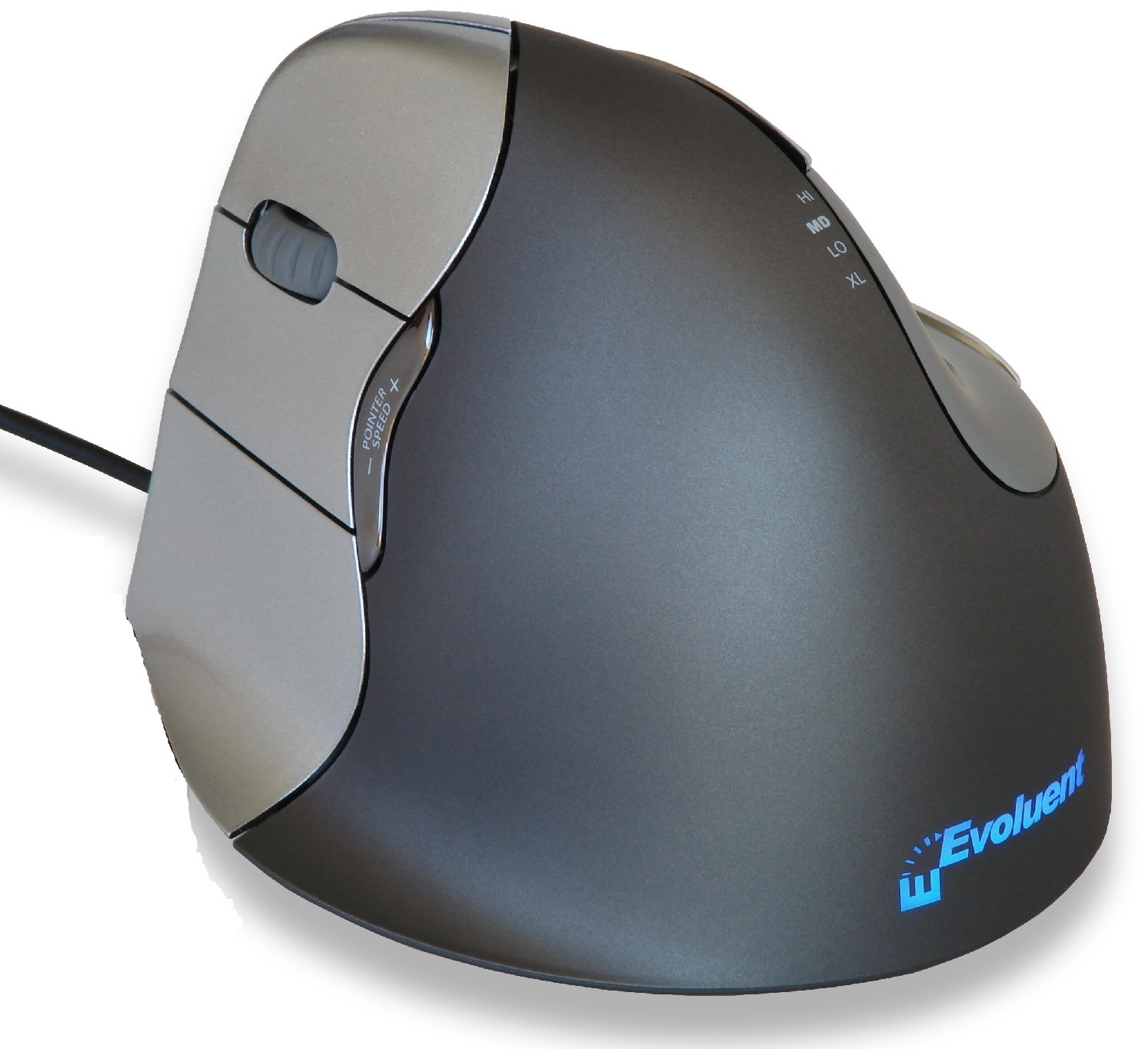
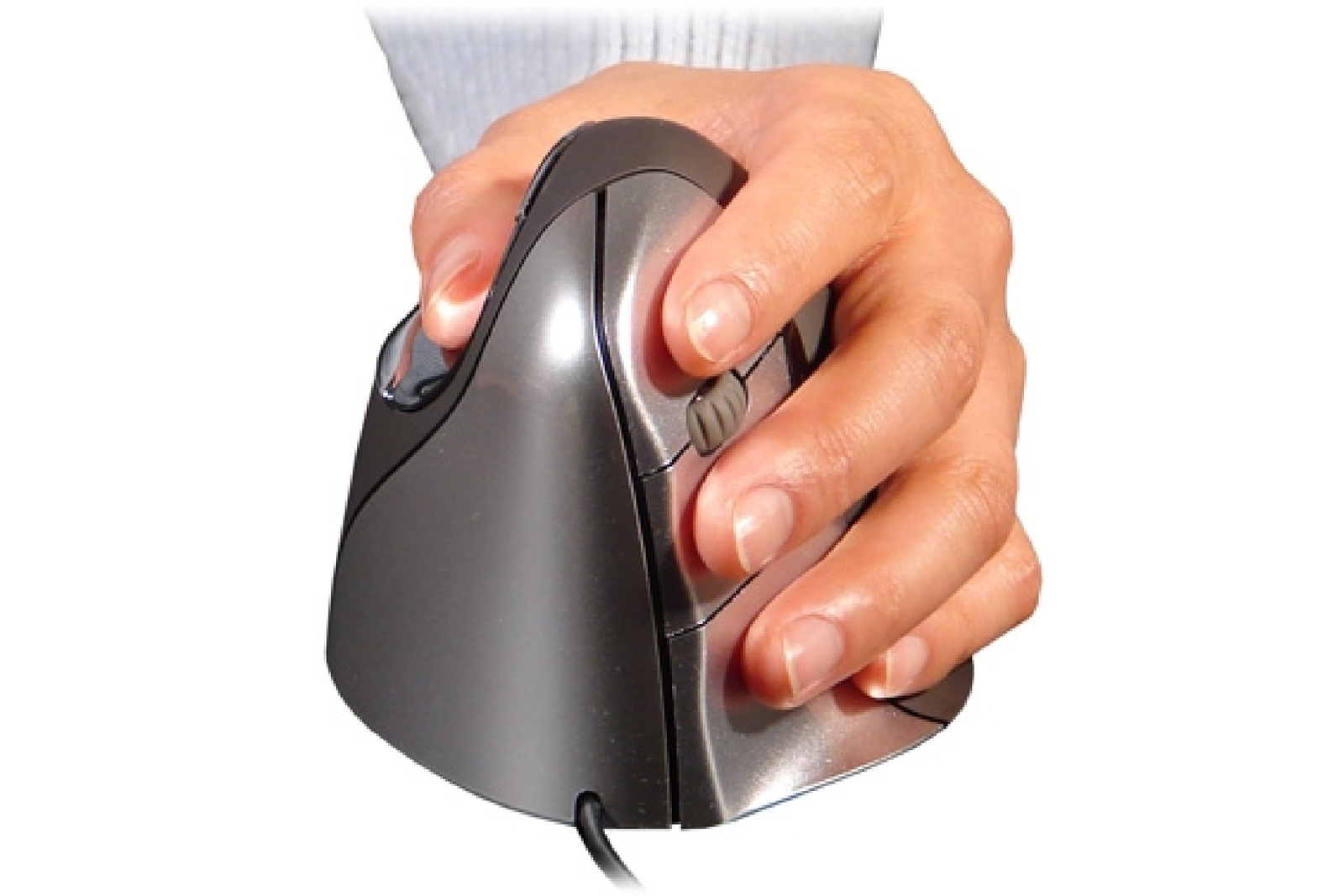

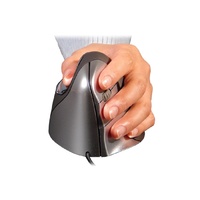
The Evoluent Vertical Mouse 4 - Left Hand Only promotes neutral forearm positioning and helps prevent excessive forearm twisting.
Comfortable and Easy To Use
The shape is thoughtfully sculpted for uncompromised comfort and easy-to-reach programmable buttons. No finger contortions are needed to operate the buttons.
Improved Thumb Rest
The thumb rest has been reshaped to provide even more comfort over earlier versions.
Adjustable Optical Sensor and Pointer Speed Indicators
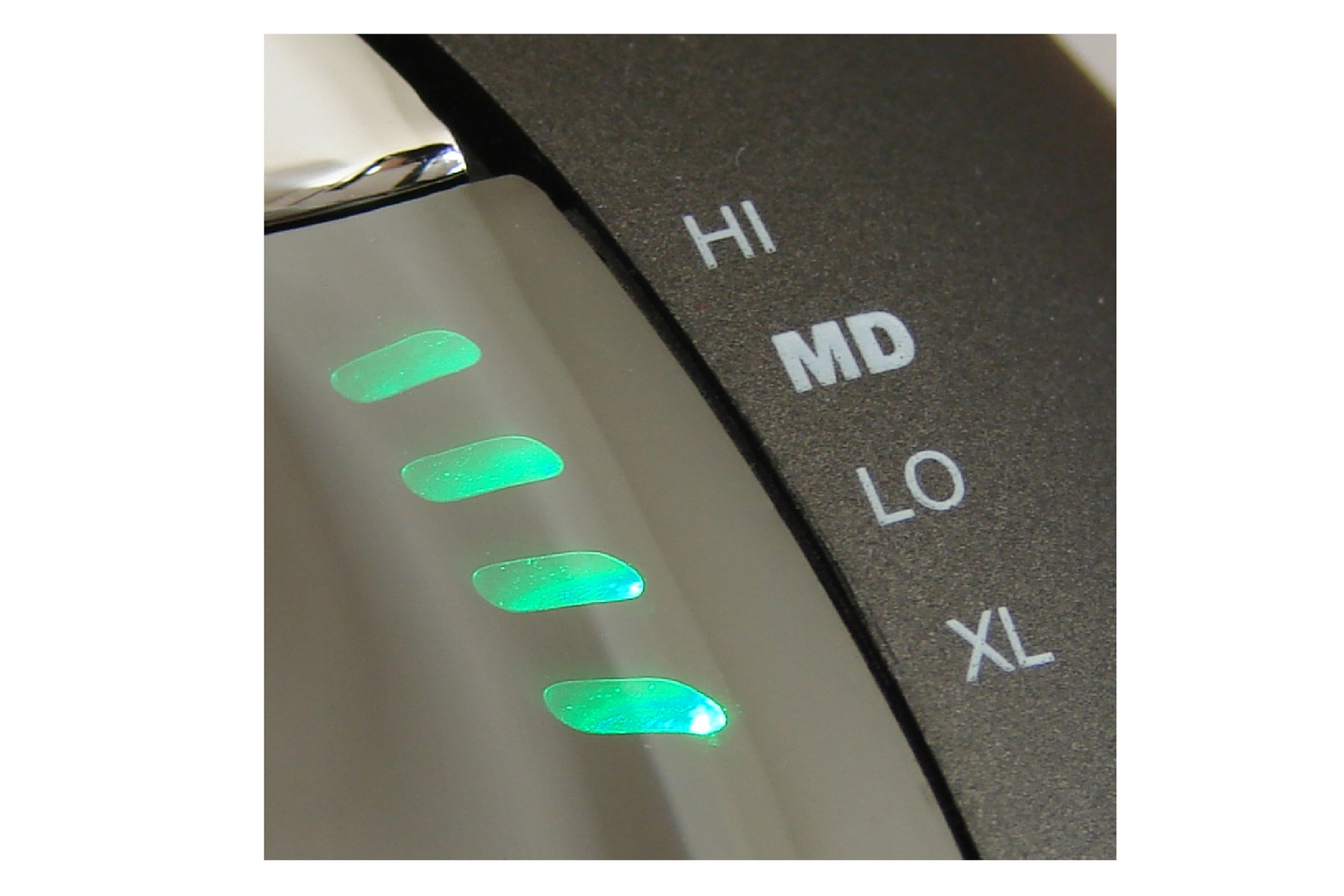
Pointer speed controls on the side allow convenient adjustment without even releasing your grip from the mouse.
Top mounted LEDs show through the chrome thumb rest to indicate selected pointer speed including extra low (XL), low (LO), MD (medium), to high (HI).
Now Two Thumb Buttons
A new bottom thumb button provides greatly extended functionality when used with the included driver.
Extended Lip Prevents Rubbing
An extra wide lip along the bottom edge prevents the last finger from rubbing the desk.
Powerful and Intuitive Driver
Evoluent Mouse Manager for Windows provides extensive but easy to use functionality for 6 buttons through a simple and intuitive interface.
Compatibility
Windows
▪ Downloadable driver for Windows XP, Vista and Win 7 in 32/64 bit for programming all 6 buttons. The driver is not required. The Vertical Mouse 4 still has basic functionality without it.
▪ Freeware driver for other Windows versions at www.highrez.co.uk/downloads/XMouseButtonControl.htm (Evoluent has no business relationship with this vendor.)
▪ USB only; not compatible with PS2 adapters. May be compatible with some USB KVM switches but it is not guaranteed.
Mac
▪ Downloadable driver for programming 6 buttons but the driver is not required. Vertical Mouse 4 still has basic functionality if the driver is not installed.
- 89mm Wide
- 111mm Deep
- 80mm High
- Promotes Neutral Wrist Position
Warranty Period: 12 Months
Evoluent Vertical Mouse 4 Left

- 89mm Wide
- 111mm Deep
- 80mm High
- Promotes Neutral Wrist Position
Who is it for?
Ergonomic mouse products are posture neutral variants for office workers who benefit from improved hand, wrist, forearm, shoulder and reach positioning during computer-based work. A Natural R E P O S E is most preferable.
They are suitable for users who:
- use a mouse frequently throughout the day
- experience wrist, hand, forearm, elbow, neck or shoulder discomfort
- need reduced wrist deviation or forearm tension
- benefit from a more neutral hand position
- require left-hand, right-hand, wireless, wired, vertical, central, trackball, or adjustable mouse options
- work in task-intensive environments where pointing, clicking, scrolling, or cursor control is repeated throughout the day
- need the mouse positioned within a more controlled reach zone
Ergonomic mouse solutions support more sustainable hand mechanics by improving the relationship between the user, mouse, keyboard and desk surface.
Suitable Environments
Posture mouse designs are suitable for:
- general office workstations
- WHS-oriented government and commercial office environments
- healthcare, clinical, administrative and professional work areas
- home office setups
- laptop riser and docking station use
- compact desk layouts
- high-use keyboard and mouse workstations
They are especially useful where users perform sustained computer work and require improved control of mouse position, reach distance, hand angle and upper-limb loading.
Problem to Solve
Standard mouse designs may contribute to poor hand mechanics when they force the wrist, forearm or shoulder into awkward or sustained positions.
Common issues include:
- wrist deviation
- excessive grip tension
- forearm pronation
- repeated shoulder reach
- mouse positioned too far from the body
- static wrist or forearm loading
- discomfort from prolonged clicking, scrolling, or cursor control
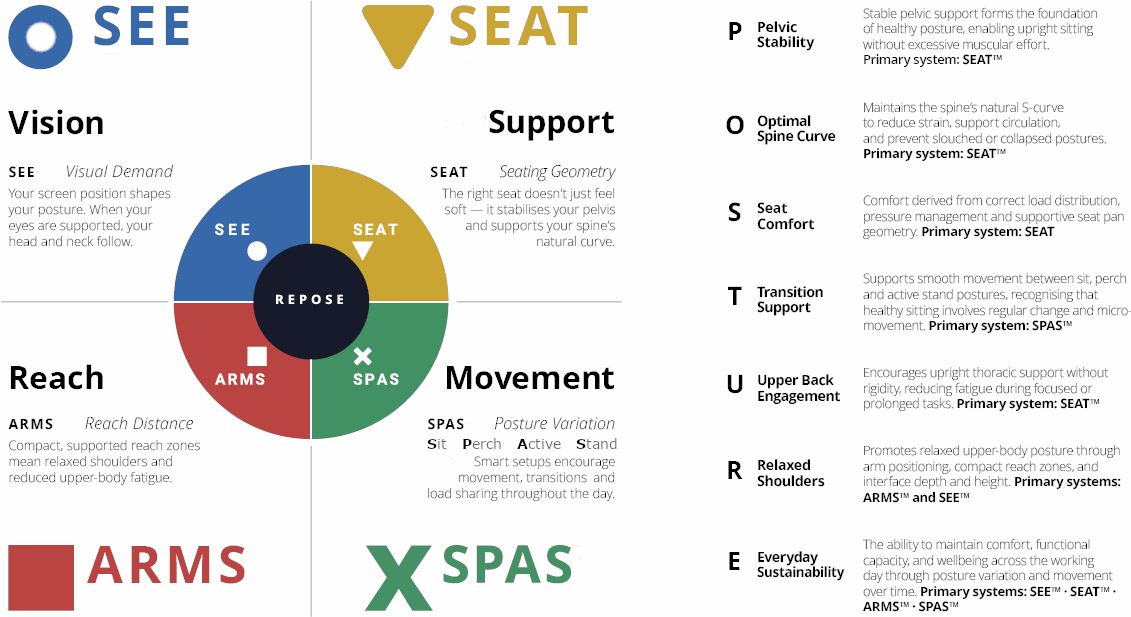
A R M S™ explains why reach and interface position matter: when the mouse is poorly placed or poorly matched to the user, the hand, wrist, forearm, elbow, and shoulder can work harder than necessary.
Ergonomic mouse options help solve this by supporting more neutral hand positioning, better reach control, and reduced upper-limb loading during sustained computer use.
A R M S™ - Reach Mechanics
Upper limb reach determines shoulder and thoracic tension.
Keyboard, mouse and interface positioning in compact reach zone influence:
- Shoulder elevation
- Scapular stability
- Thoracic rounding
If A R M S™ is excessive or extended, muscular tension increases and posture destabilises.
When compact and supported, shoulders relax and the upper body settles.
Outcome: Reduced upper body strain → supports Natural Repose
Framework Application
 A R M S™ - Primary
Reach & Interface
Ergonomic mouse designs support the A R M S™ system by improving the working relationship between the user’s arms, hands, input devices and desk surface.
They may help users to:
- keep the mouse within a controlled reach zone
- reduce unnecessary shoulder reach
- support more neutral wrist and forearm positioning
- reduce ulnar deviation
- reduce excessive forearm pronation where vertical or semi-vertical designs are used
- improve control of the primary work interface
- support left-hand, right-hand, central, adjustable and ambidextrous use
- reduce static loading through the wrist, forearm and shoulder
R E P O S E™ Outcome
Users achieve sustainable comfort through four integrated elements working together to support Natural R E P O S E™.
Natural posture mouse designs are a primary contributor through A R M S™, supporting improved reach, interface control, hand positioning and upper-limb comfort across the workday.
The Evoluent Vertical Mouse 4 - Left Hand Only promotes neutral forearm positioning and helps prevent excessive forearm twisting.
Comfortable and Easy To Use
The shape is thoughtfully sculpted for uncompromised comfort and easy-to-reach programmable buttons. No finger contortions are needed to operate the buttons.
Improved Thumb Rest
The thumb rest has been reshaped to provide even more comfort over earlier versions.
Adjustable Optical Sensor and Pointer Speed Indicators
Pointer speed controls on the side allow convenient adjustment without even releasing your grip from the mouse.
Top mounted LEDs show through the chrome thumb rest to indicate selected pointer speed including extra low (XL), low (LO), MD (medium), to high (HI).
Now Two Thumb Buttons
A new bottom thumb button provides greatly extended functionality when used with the included driver.
Extended Lip Prevents Rubbing
An extra wide lip along the bottom edge prevents the last finger from rubbing the desk.
Powerful and Intuitive Driver
Evoluent Mouse Manager for Windows provides extensive but easy to use functionality for 6 buttons through a simple and intuitive interface.
Compatibility
Windows
▪ Downloadable driver for Windows XP, Vista and Win 7 in 32/64 bit for programming all 6 buttons. The driver is not required. The Vertical Mouse 4 still has basic functionality without it.
▪ Freeware driver for other Windows versions at www.highrez.co.uk/downloads/XMouseButtonControl.htm (Evoluent has no business relationship with this vendor.)
▪ USB only; not compatible with PS2 adapters. May be compatible with some USB KVM switches but it is not guaranteed.
Mac
▪ Downloadable driver for programming 6 buttons but the driver is not required. Vertical Mouse 4 still has basic functionality if the driver is not installed.
- 89mm Wide
- 111mm Deep
- 80mm High
- Promotes Neutral Wrist Position
Warranty Period: 12 Months