Microdesk Standard
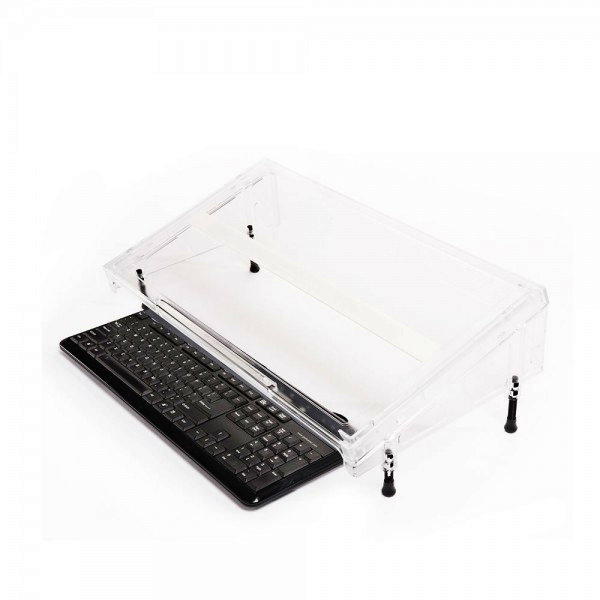
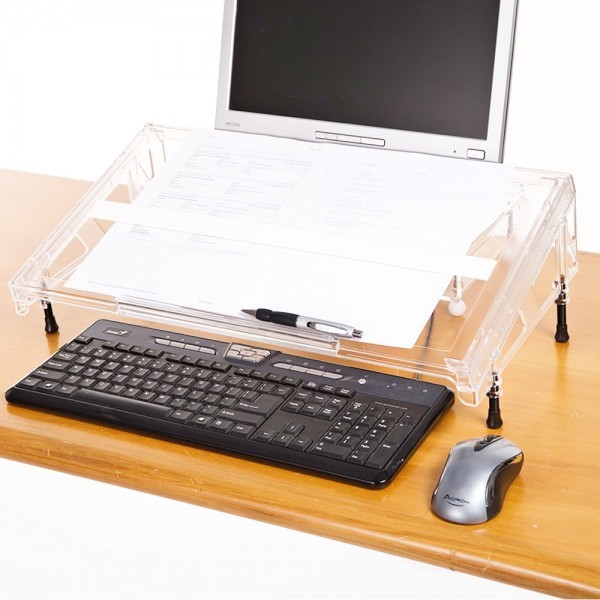
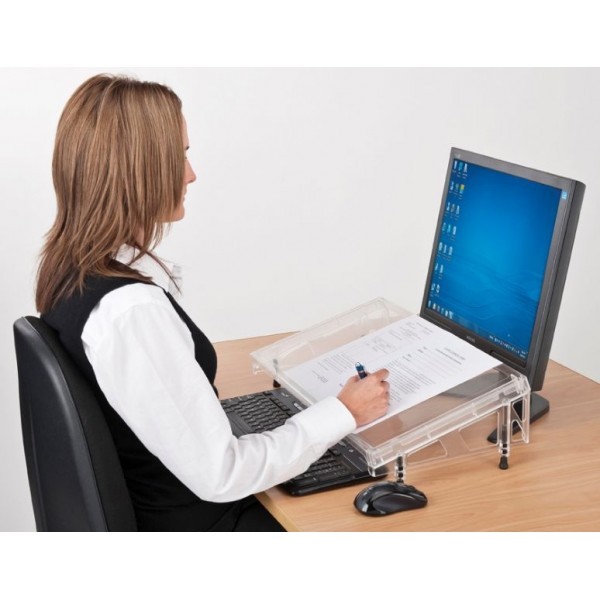
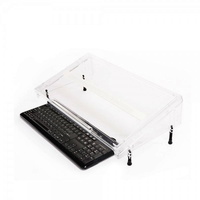
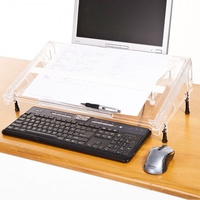
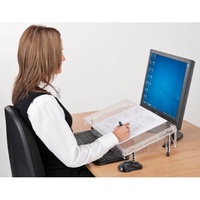
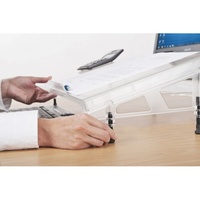
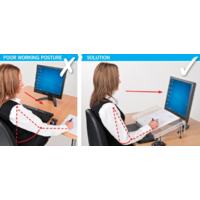
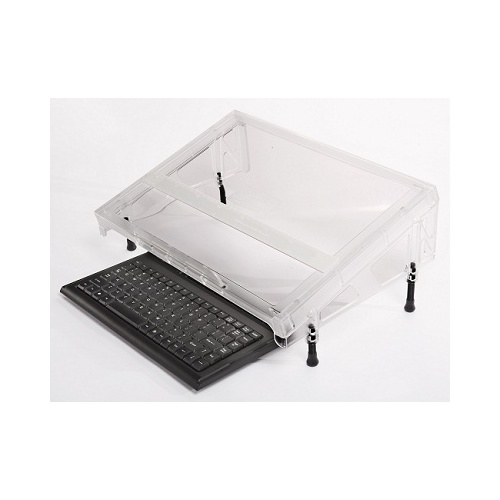
A portable, lightweight, and translucent accessory that is both a writing slope and in-line document holder that fits over the top of the keyboard.
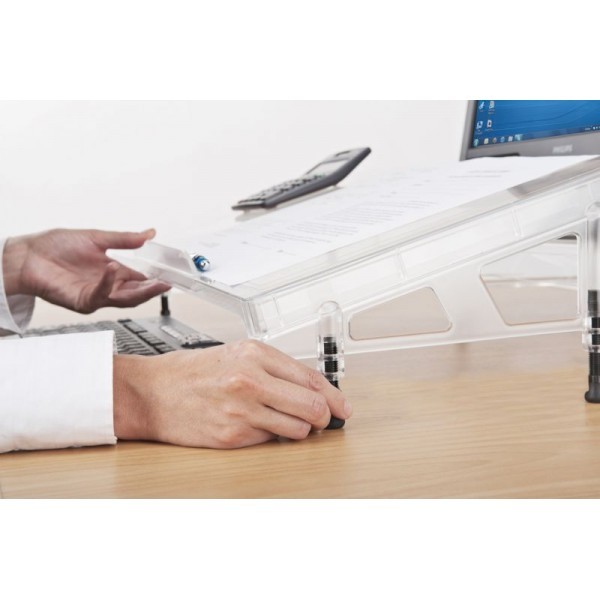
A keyboard can be stored underneath when not in use. Screw in feet provide height and angle adjustment.
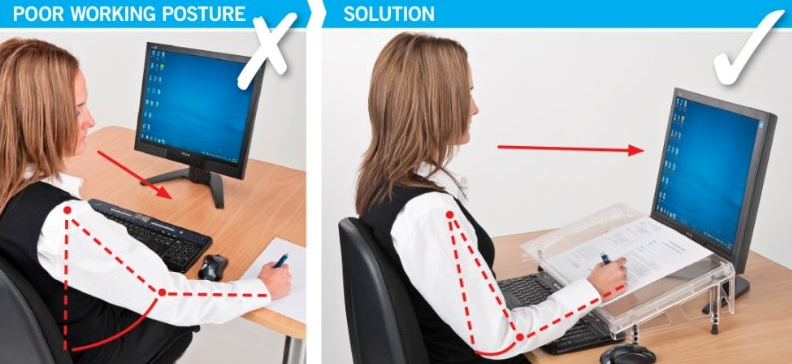
The strong acrylic construction allows the user to rest their forearms on the surface safely while maximising desk space and retaining a safe working posture.
Allows the user's body to remain in an aligned position when writing, papers can be placed directly in front of them.
- Enables easy access to the keyboard while working with papers or books
- Allows the keyboard to be seen easily through the clear surface
METHOD OF USE
1. Screw in Microdesk feet.
2. Place Microdesk over the rear section of the keyboard with only the function keys beneath the Microdesk - so you can still see the keys
3. Position the mouse to the side of the keyboard just in front of the Microdesk
4. Adjust the Microdesk height so you can use the function keys easily and write to either side of the centre lip with your forearm resting on the Microdesk.
5. Ensure you keep your back in contact with your chair back as you work, to release back and neck tension.
• Surface 560mm wide x 310mm deep (22"W x 12"D).
• Front height adjusts from 75mm – 95mm ( 3” – 3 ¾").
• Rear height adjusts from 150mm – 190mm ( 6” – 7 ½").
• Weight - 2.02 kg in carton
• Paper ledge supplied in two heights: 20mm (3/4") and 8mm (1/4")
.png) S E E™ - Visual Demand
S E E™ - Visual Demand
Screen
Eye-line
Environment
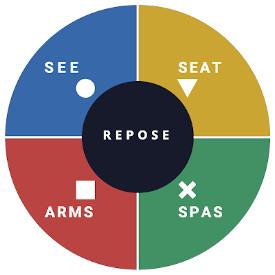
What this means for you when the 4 elements are aligned
- Corrected screen alignment → reduced neck strain
 - S E E™
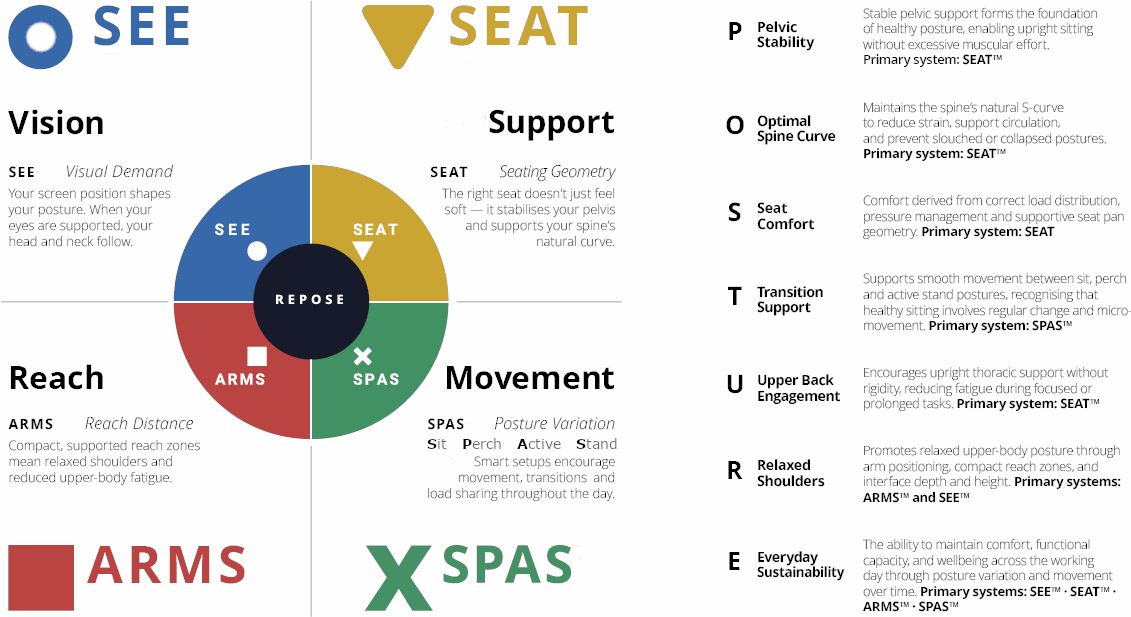
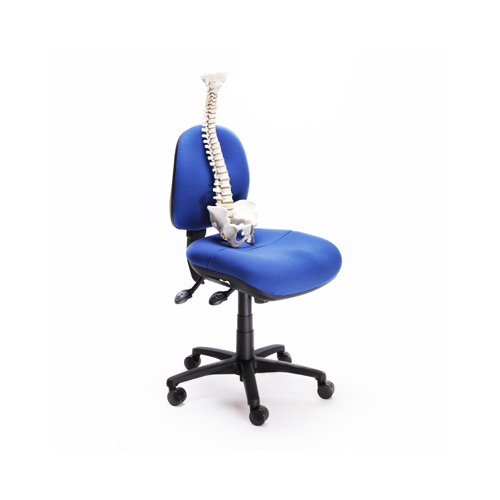
 - Better pelvic support → less lower back fatigue
 - S E A T™
 - Arm positioning → reduced shoulder load
 - A R M S™
 - Movement support → reduces static load
 - S P A S™
.png)
The core is R E P O S E™ - the natural, low-load comfort
achieved when Vision, Support, Reach and Movement are aligned.
- 560mm Wide
- 310mm Deep
- Acrylic Reading / Writing Surface
- Height and Angle Adjustable
Warranty Period: 12 Months
Microdesk Standard

- 560mm Wide
- 310mm Deep
- Acrylic Reading / Writing Surface
- Height and Angle Adjustable
Achieving Natural R E P O S E™
VISION
If vision is out of alignment, the whole posture system collapses.
Within the R E P O S E Framework™, S E E - Visual Demand is the starting point.
If the monitor is too low, too high, too far away, too close, off-centre or visually difficult to read, then the body will compensate and contort.
The user may lean forward, drop the head, round the shoulders,
twist the neck or move away from the chair’s support geometry.
Once that happens, the benefits of S E A T, A R M S and S P A S are reduced because the body is no longer working from an aligned, balanced visual reference point.
Vision governs posture.
If the screen is out of alignment, the user’s head, neck, shoulders and upper body will adapt to the screen - rather than the workstation supporting the user.
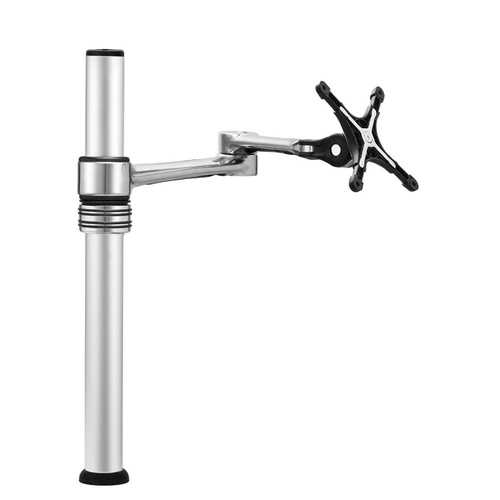
The M2.1 Monitor Arm applies S E E - Visual Demand by allowing the monitor to be positioned correctly, helping preserve the alignment required for Natural R E P O S E™.
By improving visual alignment, the M2.1 helps support a more balanced working posture, clearer desk organisation and reduced visual and postural strain — contributing to Natural R E P O S E™.
S E E™ - Visual Demand
Screen
Eye-line
Environment
Control visual input - screen position, eye-line alignment and surrounding visual environment to reduce strain and maintain neutral head posture.
A portable, lightweight, and translucent accessory that is both a writing slope and in-line document holder that fits over the top of the keyboard.
A keyboard can be stored underneath when not in use. Screw in feet provide height and angle adjustment.
The strong acrylic construction allows the user to rest their forearms on the surface safely while maximising desk space and retaining a safe working posture.
Allows the user's body to remain in an aligned position when writing, papers can be placed directly in front of them.
- Enables easy access to the keyboard while working with papers or books
- Allows the keyboard to be seen easily through the clear surface
METHOD OF USE
1. Screw in Microdesk feet.
2. Place Microdesk over the rear section of the keyboard with only the function keys beneath the Microdesk - so you can still see the keys
3. Position the mouse to the side of the keyboard just in front of the Microdesk
4. Adjust the Microdesk height so you can use the function keys easily and write to either side of the centre lip with your forearm resting on the Microdesk.
5. Ensure you keep your back in contact with your chair back as you work, to release back and neck tension.
• Surface 560mm wide x 310mm deep (22"W x 12"D).
• Front height adjusts from 75mm – 95mm ( 3” – 3 ¾").
• Rear height adjusts from 150mm – 190mm ( 6” – 7 ½").
• Weight - 2.02 kg in carton
• Paper ledge supplied in two heights: 20mm (3/4") and 8mm (1/4")
S E E™ - Visual Demand
Screen
Eye-line
Environment
What this means for you when the 4 elements are aligned
- Corrected screen alignment → reduced neck strain - S E E™
- Better pelvic support → less lower back fatigue - S E A T™
- Arm positioning → reduced shoulder load - A R M S™
- Movement support → reduces static load - S P A S™
The core is R E P O S E™ - the natural, low-load comfort
achieved when Vision, Support, Reach and Movement are aligned.
- 560mm Wide
- 310mm Deep
- Acrylic Reading / Writing Surface
- Height and Angle Adjustable
Warranty Period: 12 Months