Contour Roller Mouse Free 3
Ambidextrous left- or right-hand control
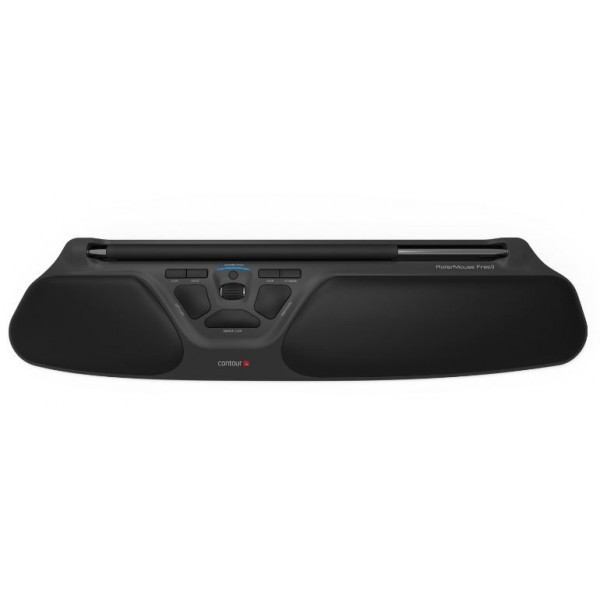
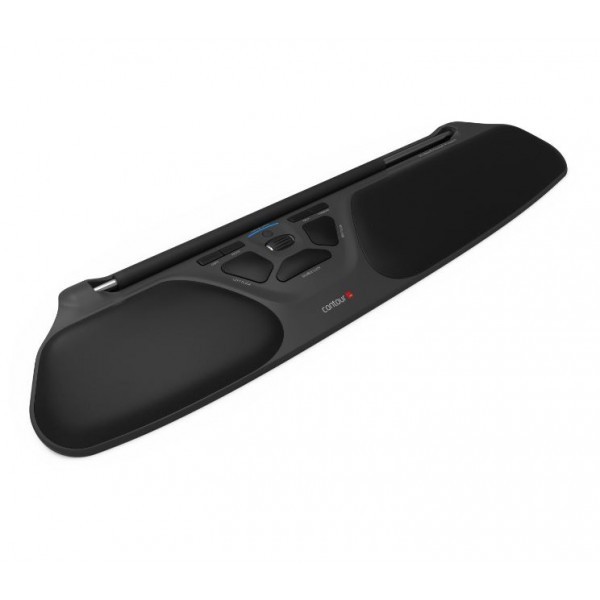
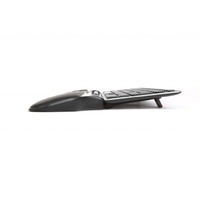
Contour RollerMouse Free3
Central Mouse Control — In Front of the Keyboard
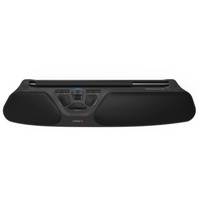
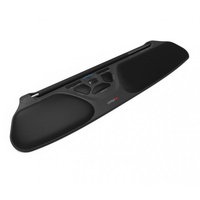
The Contour RollerMouse Free3 is a centrally positioned pointing device designed to replace the conventional mouse beside the keyboard.
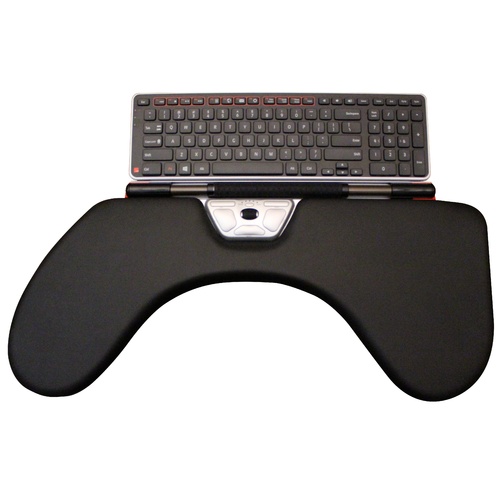
Its wide rollerbar sits directly in front of the keyboard, allowing cursor movement, clicking and scrolling to remain within the central working zone and be controlled with either hand.
The RollerMouse Free3 - intuitive, slim and modernised upgrade.
A design is inspired by users and ergonomic experts.
It’s an ultra-low ergonomic mouse alternative that is placed right in front of you.
This central and flat position allows you to work safer, faster and more comfortably.
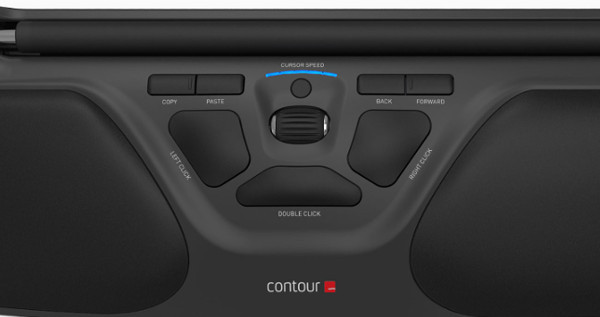
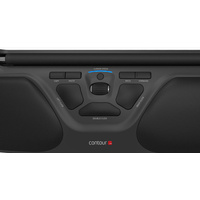
RollerMouse Free3 offers complete freedom, functionality and flexibility. The Free3 brings greater precision with a newly designed rollerbar sensor. It also adds two new buttons (8 buttons / functions in total) that default to forward and back within most internet browsers.
A better way to work?
1. Work safer and faster. Less physical strain and improved precision help you work more efficiently.
2. Get in an ergonomic position. Everything you need is placed right in front of you.
3. Two hands are better than one. Using both hands helps avoid discomfort and prevent pain by varying your position.
FEATURES
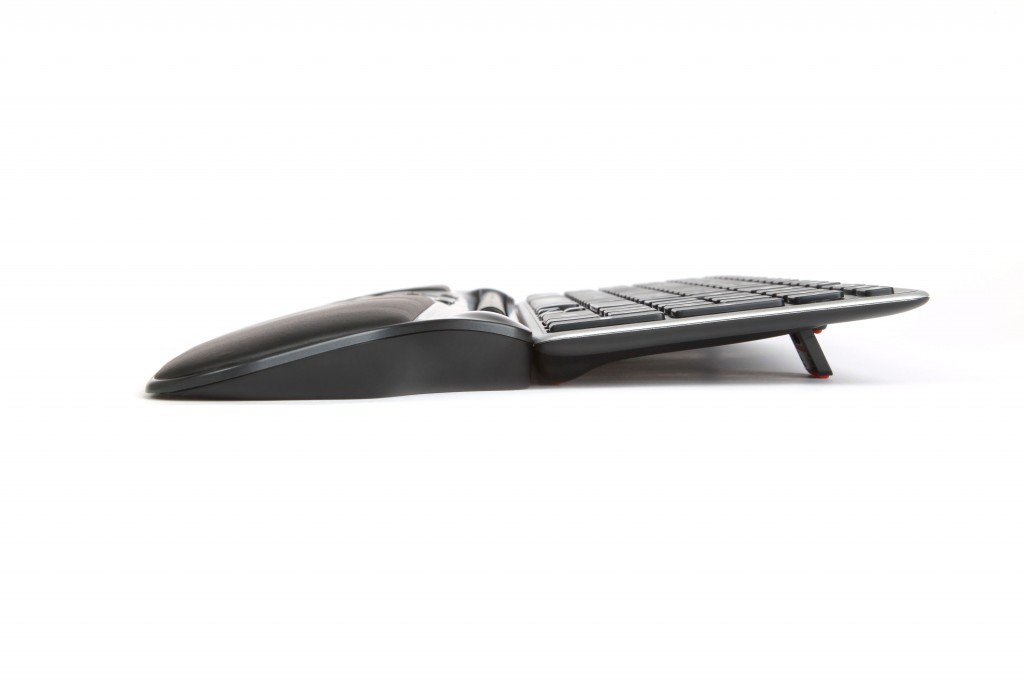
Made for your keyboard: Use the keyboard risers to customize the height and angle of your keyboard to find the most comfortable typing position. The ultra-low and slim RollerMouse Free3 keeps your hands and wrists flat on a desk or table - the safest working position for your body.
Room for two: The fully open rollerbar opening allows you to place several fingers, from one or both hands, parallel to each other. This improves control and precision while reducing and distributing the workload between the fingers.
Slim, flat and low: RollerMouse Free3 is the lowest RollerMouse yet. Its 19.5 mm height makes it even easier to rest your hands and wrists flat on a desk or table. Working with flat wrists is the optimal ergonomic position for your body.
Rest your wrists: Make movements comfortable and effortless with RollerMouse Free3 leatherette wrist rests. Our integrated wrist rest is ergonomically designed to keep your hands, wrists and forearms flat. The wrist padding is slightly higher than the rollerbar to avoid unwanted clicks.
Quick and easy cursor speed selection: Choose between five cursor speeds ranging from 600 dpi to 2800 dpi for maximum precision. The speed increases by 200 dpi with a push of a button. Five lights above the triangular button indicate your current cursor speed. Tip: New users may want to start with low cursor speed. Once familiar with RollerMouse, we recommend selecting a higher cursor speed. For users with big screens, or multiple screens, the faster setting makes it easier to reach further with the same rollerbar movement.
Optical motion detector: An optical sensor detects the cursor movement. It is placed at an optimal position to ensure consistent and reliable tracking. This predictability makes it easy for your fingers to move the cursor.
Choose the force: Adjust the amount of pressure required to perform a mouse click. Use the click-force tension slider underneath RollerMouse Free3 to choose from soft to firm settings. Tip: New users may like to start with a firm rollerbar click. Those familiar with RollerMouse may find using a lower click force faster.
Keep it steady: The keyboard risers are covered with rubber to keep your RollerMouse Free3 in a firm and steady position. The more fixed RollerMouse Free3 is on the table or desk, the easier it is for you to find the right buttons and maintain your preferred working position.
End detection: If your cursor cannot move further, simply force the bar slightly to the right or left until you hear a gentle click. This activates the end detection and the cursor can move anywhere on the screen. Tip: If you’re using multiple screens, the end detection function allows you to re-align the cursor position.
Key Features
- centrally positioned 357 mm rollerbar
- ambidextrous left- or right-hand control
- integrated padded wrist support
- 10 cursor speeds from 600–2800 DPI
- dedicated scroll wheel
- shortcut functions including click, double-click, copy, paste, back and forward
- low-profile 23 mm design
- approximately 489 W × 121 D mm
- keyboard risers included
- wired USB plug-and-play connection
- Windows and macOS compatible
.png)
.png)
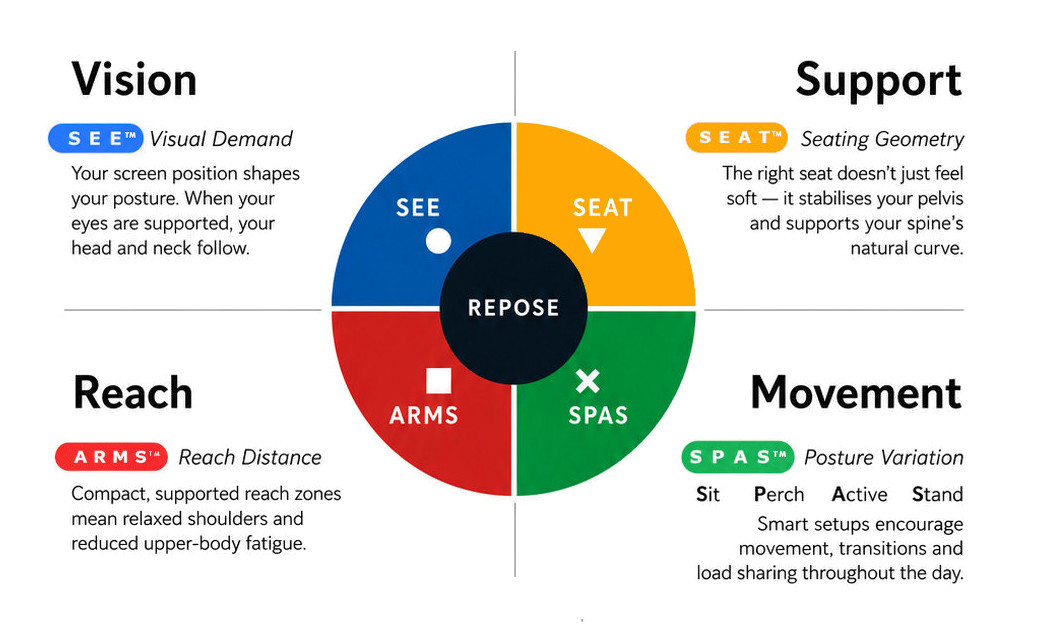
What this means for you when the 4 elements are aligned
| Corrected screen alignment → reduced neck strain |  - S E E™ - S E E™ |
| Better pelvic support → less lower back fatigue |  - S E A T™ - S E A T™ |
| Arm positioning → reduced shoulder load |  - A R M S™ - A R M S™ |
| Movement support → reduces static load |  - S P A S™ - S P A S™ |
R E P O S E™ Outcome
The RollerMouse Free3 supports Natural R E P O S E™ by bringing keyboard and cursor control together within the central working zone.
Mouse in the centre. Either hand. Less unnecessary reach.
- 44mm Wide
- 150mm Deep
- 19mm High
- PC and Mac Compatible
- In-built Wrist Rest
Warranty Period: 12 Months
Contour Roller Mouse Free 3

- 440mm Wide
- 150mm Deep
- 19mm High
- PC and Mac Compatible
- In-built Wrist Rest
Who Is It For?
Suitable for users who:
- undertake frequent keyboard and mouse work
- repeatedly reach sideways for a conventional mouse
- want cursor control positioned directly in front of the body
- want to alternate between left- and right-hand operation
- prefer small hand and finger movements rather than reaching from the shoulder
- work across large or multiple monitors
Problem to Solve
A conventional mouse is normally positioned to one side of the keyboard.
Repeated movement between keyboard and mouse can increase lateral reach and one-sided upper-limb activity throughout the working day.
The RollerMouse Free3 brings cursor control into the centre, immediately below the keyboard, allowing both hands to remain closer to the primary work interface.
A R M S™ — Primary
Arm Support · Reach · Mouse · Surface
The RollerMouse Free3 supports A R M S™ by helping users:
- reduce repeated side reach to a mouse
- keep cursor control close to the keyboard
- operate the rollerbar with either hand
- vary hand use throughout the day
- keep the elbows and forearms within a more controlled working zone
- perform common mouse functions without leaving the central interface
Contour RollerMouse Free3
Central Mouse Control — In Front of the Keyboard
The Contour RollerMouse Free3 is a centrally positioned pointing device designed to replace the conventional mouse beside the keyboard.
Its wide rollerbar sits directly in front of the keyboard, allowing cursor movement, clicking and scrolling to remain within the central working zone and be controlled with either hand.
The RollerMouse Free3 - intuitive, slim and modernised upgrade.
A design is inspired by users and ergonomic experts.
It’s an ultra-low ergonomic mouse alternative that is placed right in front of you.
This central and flat position allows you to work safer, faster and more comfortably.
RollerMouse Free3 offers complete freedom, functionality and flexibility. The Free3 brings greater precision with a newly designed rollerbar sensor. It also adds two new buttons (8 buttons / functions in total) that default to forward and back within most internet browsers.
A better way to work?
1. Work safer and faster. Less physical strain and improved precision help you work more efficiently.
2. Get in an ergonomic position. Everything you need is placed right in front of you.
3. Two hands are better than one. Using both hands helps avoid discomfort and prevent pain by varying your position.
FEATURES
Made for your keyboard: Use the keyboard risers to customize the height and angle of your keyboard to find the most comfortable typing position. The ultra-low and slim RollerMouse Free3 keeps your hands and wrists flat on a desk or table - the safest working position for your body.
Room for two: The fully open rollerbar opening allows you to place several fingers, from one or both hands, parallel to each other. This improves control and precision while reducing and distributing the workload between the fingers.
Slim, flat and low: RollerMouse Free3 is the lowest RollerMouse yet. Its 19.5 mm height makes it even easier to rest your hands and wrists flat on a desk or table. Working with flat wrists is the optimal ergonomic position for your body.
Rest your wrists: Make movements comfortable and effortless with RollerMouse Free3 leatherette wrist rests. Our integrated wrist rest is ergonomically designed to keep your hands, wrists and forearms flat. The wrist padding is slightly higher than the rollerbar to avoid unwanted clicks.
Quick and easy cursor speed selection: Choose between five cursor speeds ranging from 600 dpi to 2800 dpi for maximum precision. The speed increases by 200 dpi with a push of a button. Five lights above the triangular button indicate your current cursor speed. Tip: New users may want to start with low cursor speed. Once familiar with RollerMouse, we recommend selecting a higher cursor speed. For users with big screens, or multiple screens, the faster setting makes it easier to reach further with the same rollerbar movement.
Optical motion detector: An optical sensor detects the cursor movement. It is placed at an optimal position to ensure consistent and reliable tracking. This predictability makes it easy for your fingers to move the cursor.
Choose the force: Adjust the amount of pressure required to perform a mouse click. Use the click-force tension slider underneath RollerMouse Free3 to choose from soft to firm settings. Tip: New users may like to start with a firm rollerbar click. Those familiar with RollerMouse may find using a lower click force faster.
Keep it steady: The keyboard risers are covered with rubber to keep your RollerMouse Free3 in a firm and steady position. The more fixed RollerMouse Free3 is on the table or desk, the easier it is for you to find the right buttons and maintain your preferred working position.
End detection: If your cursor cannot move further, simply force the bar slightly to the right or left until you hear a gentle click. This activates the end detection and the cursor can move anywhere on the screen. Tip: If you’re using multiple screens, the end detection function allows you to re-align the cursor position.
Key Features
- centrally positioned 357 mm rollerbar
- ambidextrous left- or right-hand control
- integrated padded wrist support
- 10 cursor speeds from 600–2800 DPI
- dedicated scroll wheel
- shortcut functions including click, double-click, copy, paste, back and forward
- low-profile 23 mm design
- approximately 489 W × 121 D mm
- keyboard risers included
- wired USB plug-and-play connection
- Windows and macOS compatible
What this means for you when the 4 elements are aligned
| Corrected screen alignment → reduced neck strain | - S E E™ |
| Better pelvic support → less lower back fatigue | - S E A T™ |
| Arm positioning → reduced shoulder load | - A R M S™ |
| Movement support → reduces static load | - S P A S™ |
R E P O S E™ Outcome
The RollerMouse Free3 supports Natural R E P O S E™ by bringing keyboard and cursor control together within the central working zone.
Mouse in the centre. Either hand. Less unnecessary reach.
- 44mm Wide
- 150mm Deep
- 19mm High
- PC and Mac Compatible
- In-built Wrist Rest
Warranty Period: 12 Months