EVOLUENT VERTICAL MOUSE 4 RIGHT WIRELESS
Evoluent VerticalMouse 4 – Right Hand Wireless
Upright Support. Wireless Freedom.
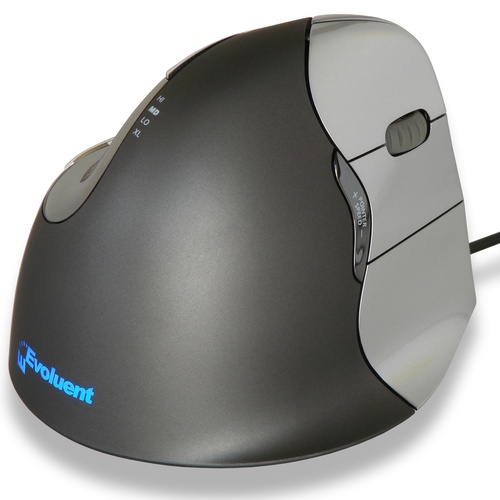
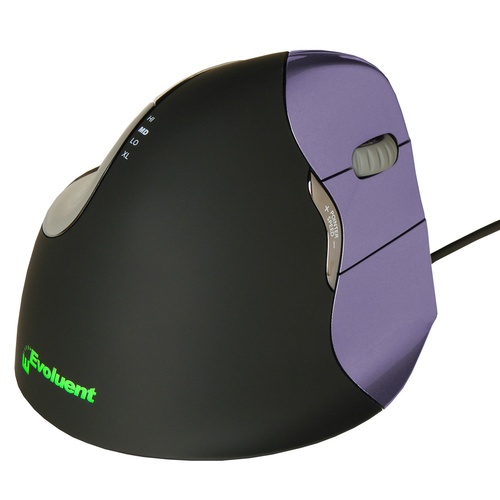
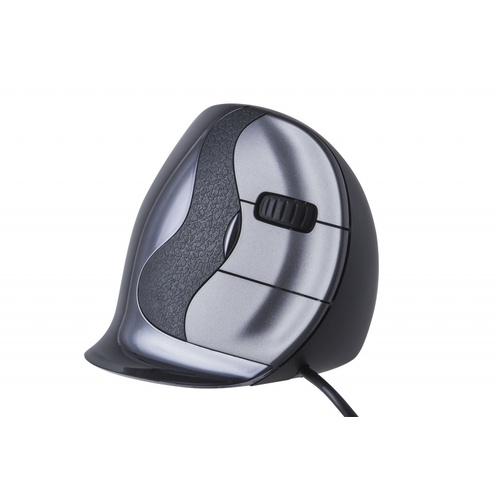
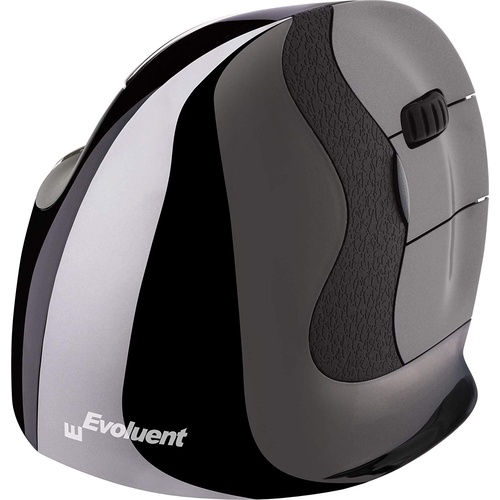
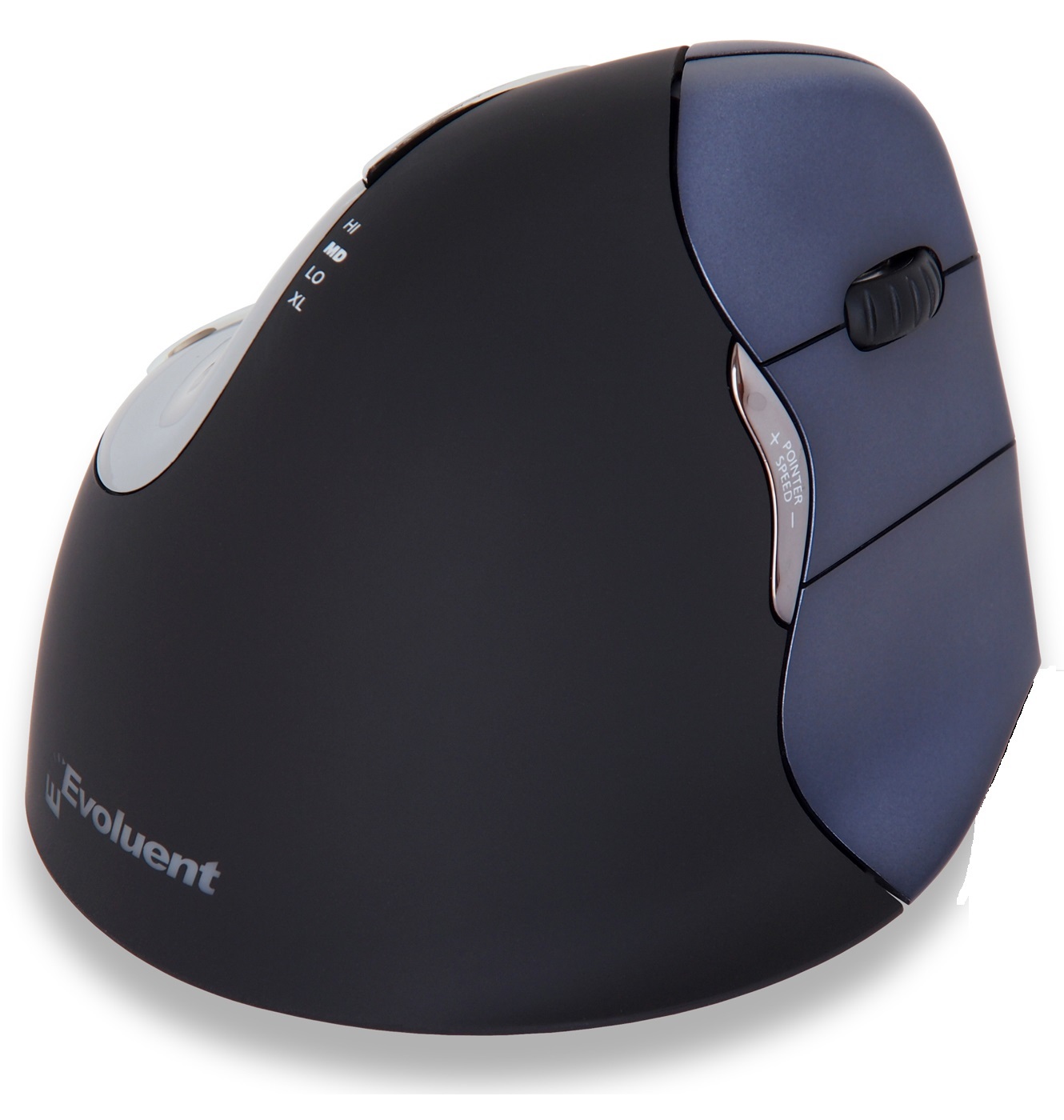
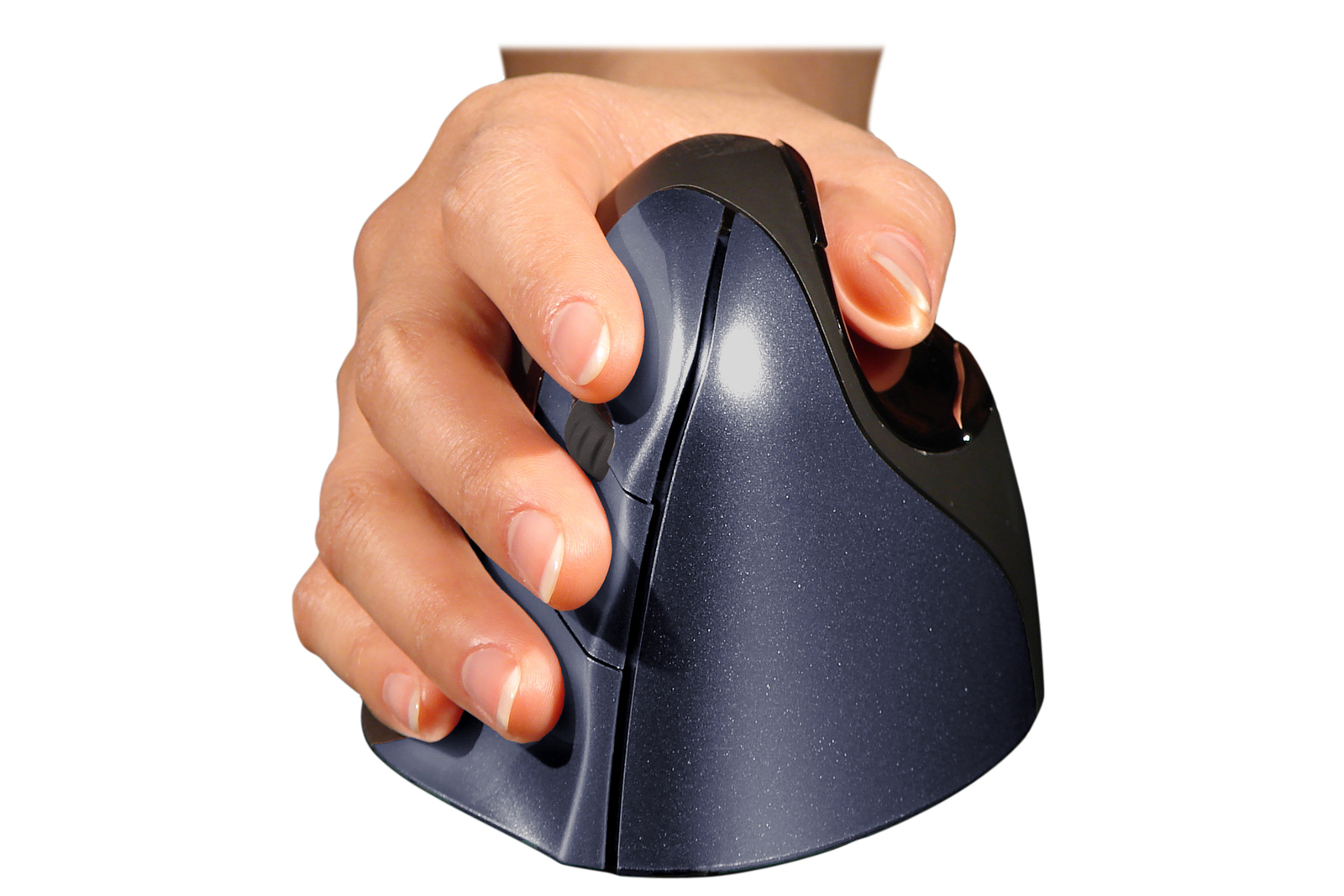
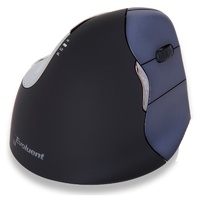
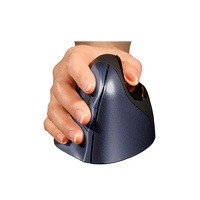
The Evoluent VerticalMouse 4 Right Wireless is a dedicated right-handed ergonomic mouse designed to support the hand in a more upright handshake-style position rather than the palm-down position of a conventional mouse.
Its sculpted shape supports the fingers and thumb while wireless operation allows greater freedom in positioning the mouse within the workstation.
The Evoluent Vertical Mouse 4 (right hand only) is designed to prevent excessive twisting of the forearm, making it comfortable and easy to use. The shape has been sculpted to deliver uncompromised comfort, with the design also offering easy-to-reach programmable buttons that don’t require finger contortions to press.
Other features of the Evoluent Vertical Mouse 4 include:
- An improved, reshaped thumb rest that offers users more comfort than ever before.
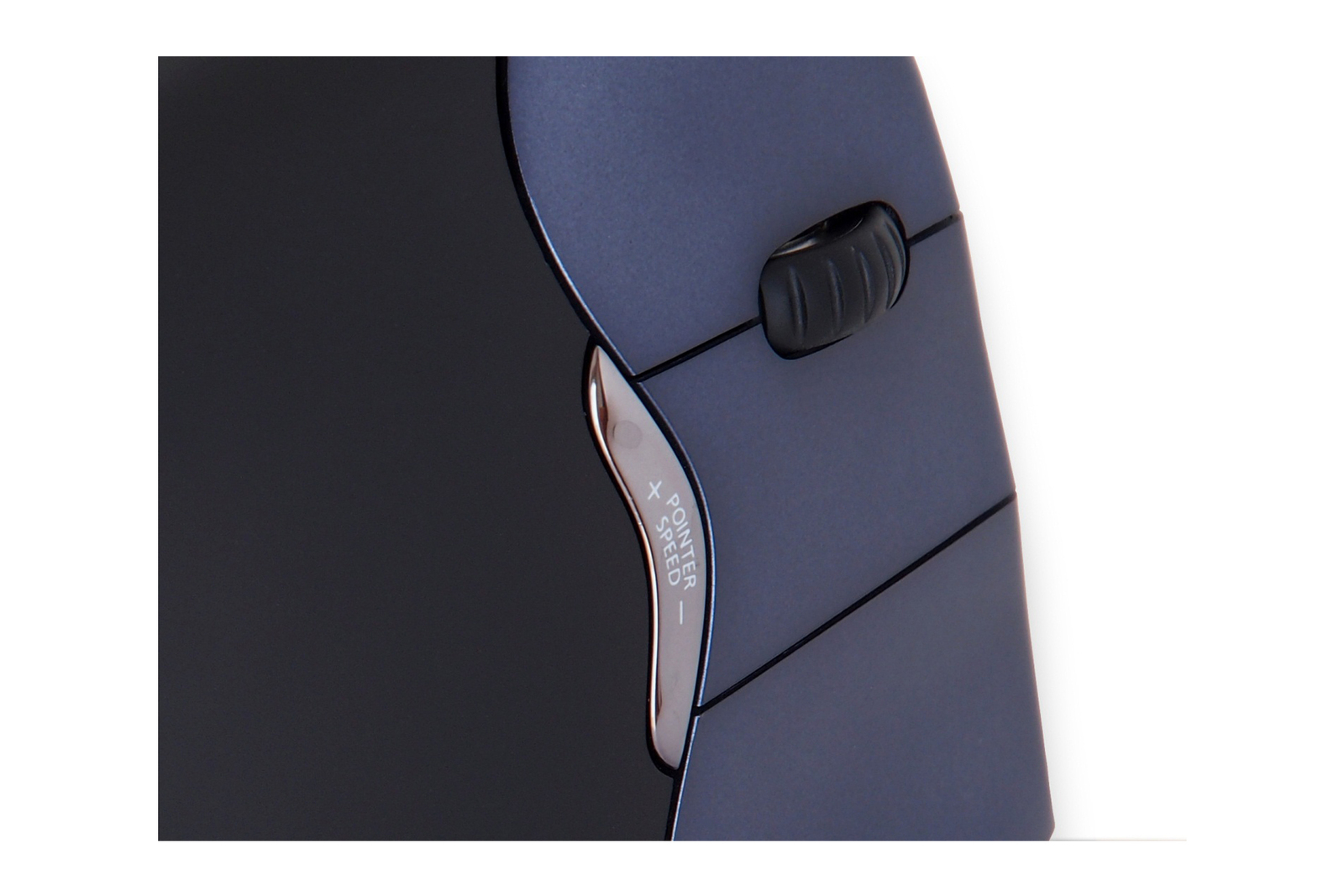
- Adjustable optical sensor and pointer speed indicators – Pointer speed controls are included on the side of the mouse, allowing for quick and easy adjustment. LEDs on the top indicate which pointer speed is currently selected.
- Two thumb buttons – The Evoluent Vertical Mouse 4 now comes with a second thumb button for extended functionality.
- An extra wide extended lip along the bottom edge to prevent fingers rubbing against the desk.
- A powerful and intuitive driver that allows all 6 buttons to be easily programmed.
Compatibility
Windows
- Downloadable driver for Windows XP, Vista and Win 7 in 32/64 bit for programming all 6 buttons. The driver is not required. The Evoluent Vertical Mouse 4 still has basic functionality without it.
- ▪ Freeware driver for other Windows versions at www.highrez.co.uk/downloads/XMouseButtonControl.htm (Evoluent has no business relationship with this vendor.)
- USB only; not compatible with PS2 adapters. May be compatible with some USB KVM switches but it is not guaranteed.
Mac
- Downloadable driver for programming 6 buttons but the driver is not required. Vertical Mouse 4 still has basic functionality if the driver is not installed.
Key Features
- dedicated right-handed ergonomic design
- upright handshake-style hand position
- sculpted thumb and finger support
- 6-button operation
- on-mouse pointer-speed adjustment
- illuminated pointer-speed indicators
- programmable controls with Evoluent Mouse Manager
- wireless connection via compact USB receiver
- low-battery indicator
- plug-and-play basic operation
.png)
.png)
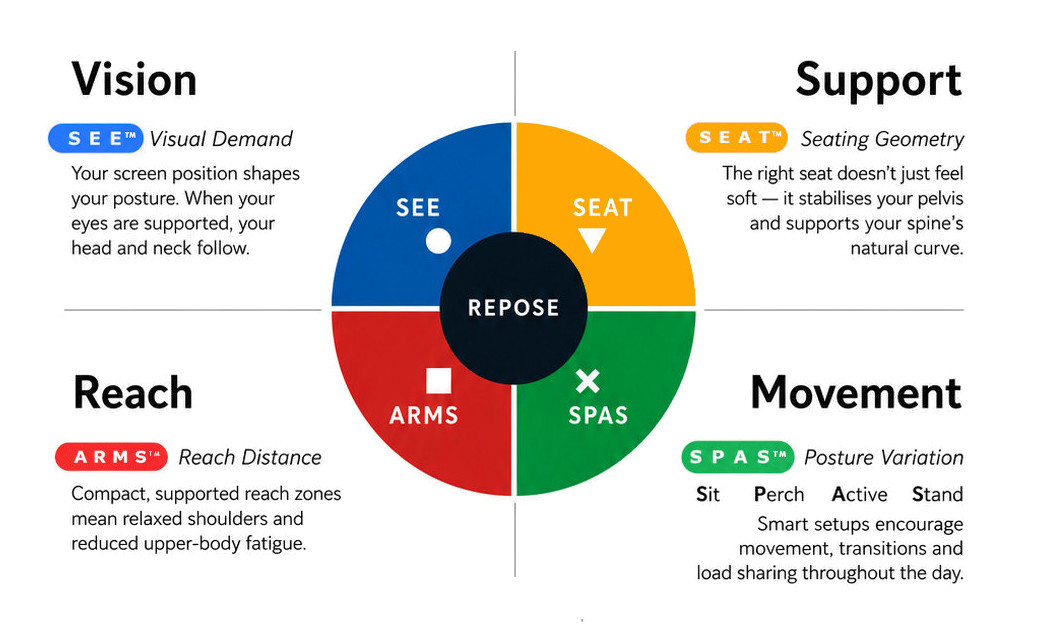
What this means for you when the 4 elements are aligned
| Corrected screen alignment → reduced neck strain |  - S E E™ - S E E™ |
| Better pelvic support → less lower back fatigue |  - S E A T™ - S E A T™ |
| Arm positioning → reduced shoulder load |  - A R M S™ - A R M S™ |
| Movement support → reduces static load |  - S P A S™ - S P A S™ |
R E P O S E™ Outcome
The Evoluent VerticalMouse 4 Right Wireless supports Natural R E P O S E™ through upright hand positioning, dedicated right-hand support and cable-free control.
Right hand. Upright position. Wireless freedom.
- 89mm Wide
- 111mm Deep / Length
- 80mm High
- Wireless USB Receiver
- Promotes Neutral Wrist Positioning
Warranty Period: 12 Months
EVOLUENT VERTICAL MOUSE 4 RIGHT WIRELESS

The Evoluent Vertical Mouse promotes neutral forearm positioning and helps prevent excessive forearm twisting.
- 89mm Wide
- 111mm Deep / Length
- 80mm High
- Wireless USB Receiver
- Promotes Neutral Wrist Positioning
Who Is It For?
Suitable for users who:
- mouse primarily with the right hand
- want a more upright hand and forearm position
- find conventional flat mice uncomfortable
- undertake frequent mouse-based work
- prefer a supportive full-hand mouse
- want wireless freedom and reduced desktop cable clutter
Problem to Solve
Traditional flat mice generally require the forearm to rotate into a largely palm-down position.
The Evoluent VerticalMouse changes the orientation of the hand, supporting a more upright position while keeping the primary controls comfortably within reach.
Its dedicated right-hand shape supports the palm, thumb and fingers, while wireless connectivity allows the mouse to be positioned freely within the preferred working zone.
A R M S™ — Primary
Arm Support · Reach · Mouse · Surface
The VerticalMouse 4 Wireless supports A R M S™ by helping users:
- reduce sustained palm-down forearm positioning
- maintain a more upright hand orientation
- support the fingers and thumb
- reduce unnecessary gripping
- adjust pointer speed without changing grip
- position the mouse within a comfortable working reach zone
Evoluent VerticalMouse 4 – Right Hand Wireless
Upright Support. Wireless Freedom.
The Evoluent VerticalMouse 4 Right Wireless is a dedicated right-handed ergonomic mouse designed to support the hand in a more upright handshake-style position rather than the palm-down position of a conventional mouse.
Its sculpted shape supports the fingers and thumb while wireless operation allows greater freedom in positioning the mouse within the workstation.
The Evoluent Vertical Mouse 4 (right hand only) is designed to prevent excessive twisting of the forearm, making it comfortable and easy to use. The shape has been sculpted to deliver uncompromised comfort, with the design also offering easy-to-reach programmable buttons that don’t require finger contortions to press.
Other features of the Evoluent Vertical Mouse 4 include:
- An improved, reshaped thumb rest that offers users more comfort than ever before.
- Adjustable optical sensor and pointer speed indicators – Pointer speed controls are included on the side of the mouse, allowing for quick and easy adjustment. LEDs on the top indicate which pointer speed is currently selected.
- Two thumb buttons – The Evoluent Vertical Mouse 4 now comes with a second thumb button for extended functionality.
- An extra wide extended lip along the bottom edge to prevent fingers rubbing against the desk.
- A powerful and intuitive driver that allows all 6 buttons to be easily programmed.
Compatibility
Windows
- Downloadable driver for Windows XP, Vista and Win 7 in 32/64 bit for programming all 6 buttons. The driver is not required. The Evoluent Vertical Mouse 4 still has basic functionality without it.
- ▪ Freeware driver for other Windows versions at www.highrez.co.uk/downloads/XMouseButtonControl.htm (Evoluent has no business relationship with this vendor.)
- USB only; not compatible with PS2 adapters. May be compatible with some USB KVM switches but it is not guaranteed.
Mac
- Downloadable driver for programming 6 buttons but the driver is not required. Vertical Mouse 4 still has basic functionality if the driver is not installed.
Key Features
- dedicated right-handed ergonomic design
- upright handshake-style hand position
- sculpted thumb and finger support
- 6-button operation
- on-mouse pointer-speed adjustment
- illuminated pointer-speed indicators
- programmable controls with Evoluent Mouse Manager
- wireless connection via compact USB receiver
- low-battery indicator
- plug-and-play basic operation
What this means for you when the 4 elements are aligned
| Corrected screen alignment → reduced neck strain | - S E E™ |
| Better pelvic support → less lower back fatigue | - S E A T™ |
| Arm positioning → reduced shoulder load | - A R M S™ |
| Movement support → reduces static load | - S P A S™ |
R E P O S E™ Outcome
The Evoluent VerticalMouse 4 Right Wireless supports Natural R E P O S E™ through upright hand positioning, dedicated right-hand support and cable-free control.
Right hand. Upright position. Wireless freedom.
- 89mm Wide
- 111mm Deep / Length
- 80mm High
- Wireless USB Receiver
- Promotes Neutral Wrist Positioning
Warranty Period: 12 Months