

What is Hot Desking and ABW?


Hot Desking and ABW - Practical WHS Guidance
Overview
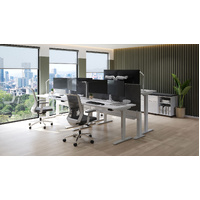
Hot Desking is a workplace arrangement where employee’s use shared workstations rather than having a permanently assigned desk.
Activity-Based Working (ABW) environments, where staff move between different spaces depending on their task.
These approaches iare increasingly used across Corporate and Australian Government workplaces to support flexible and hybrid ways of working.
From a Work Health and Safety (WHS) perspective, hot desking works best when staff are supported to set up each workstation comfortably and safely at the start of their day.
WHS Considerations
When multiple people share desks and equipment, individual needs can vary significantly. Differences in height, posture, work tasks, and duration of computer use mean that a workstation that suits one person may not suit the next.
For this reason, hot desking environments benefit from:
- Furniture that can be easily adjusted
- Equipment that supports neutral working postures
- Clear guidance to help staff make simple, effective adjustments
These measures help reduce discomfort and support sustained, productive work.
Supporting Safe and Comfortable Work
Adjustable Workstations
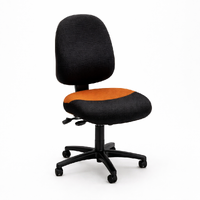
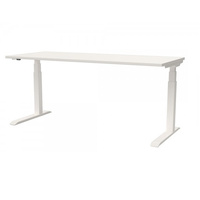
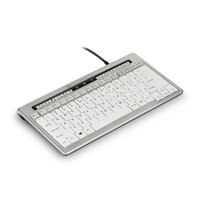
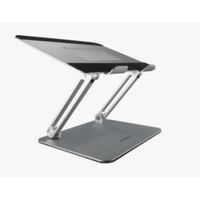
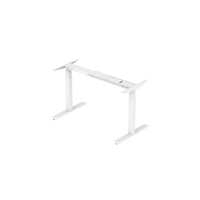
Providing adjustable chairs, desks, monitor arms, notebook stands and ergonomic input devices allows staff to adapt the workstation to their needs. Easy-to-use controls encourage people to make adjustments rather than working around discomfort.
Use of Laptops
Laptops support mobility but are not designed for extended use without accessories. Access to external keyboards, mice, and monitor positioning solutions can help staff maintain more comfortable postures.
Simple Setup Guidance
Clear, easy-to-follow setup guides at each workstation can help staff quickly adjust their workspace for comfort and safe use. These guides may support staff to:
- Adjust chair height and back support to suit their body and task
- Regularly vary desk height between seated and standing to encourage movement throughout the day
- Position screens at a comfortable viewing height to reduce neck and eye strain
- Set up keyboards and mice so arms, wrists, and shoulders feel relaxed and natural during use.
- Providing simple visual cues helps staff make small adjustments that can improve comfort, reduce fatigue, and support healthy working habits when using shared desks.
Time to Adjust
Allowing a few minutes at the start of each session for workstation setup helps staff settle in comfortably and reduces the likelihood of working in awkward postures.
Hot Desking and Activity-Based Working (ABW)
Hot desking is often used within Activity-Based Working (ABW) environments, where staff move between different spaces depending on their task.
While ABW provides choice and flexibility, each workstation—regardless of location—should still support safe and comfortable computer work. Ergonomic considerations apply equally to focus desks, collaboration areas, and touchdown spaces.
Monitoring and Continuous Improvement
Encouraging staff to report discomfort, equipment issues, or adjustment difficulties supports early intervention and continuous improvement. Periodic review of hot desking arrangements helps ensure they continue to meet staff needs and align with guidance from bodies such as Safe Work Australia.
| Perspective | Success Looks Like | Failure Looks Like |
|---|---|---|
| Employer | Efficient use of space, workforce flexibility, low levels of complaints | Hidden costs, increased WHS issues, declining morale |
| Employee | Comfortable work setup, adequate support, flexibility and choice | Physical discomfort, frustration, loss of control over workspace |
| Union | Meaningful consultation, safe work practices, risks appropriately managed | Cost-driven implementation, unsafe conditions, imposed arrangements |
In Summary
Hot desking can support flexible ways of working when accompanied by thoughtful design and practical guidance.
Organisations can help staff work comfortably and safely no matter which desk they use on the day by providing adjustable furniture, appropriate equipment and simple setup advice




.png)