Kinesis Form Split Touchpad Keyboard


Kinesis FORM Split Touchpad Keyboard
Split Typing + Central Cursor Control
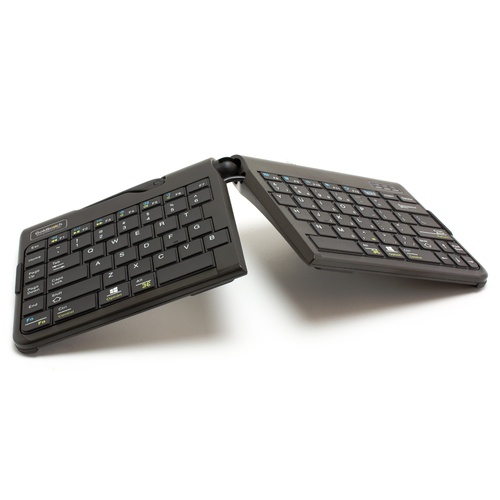
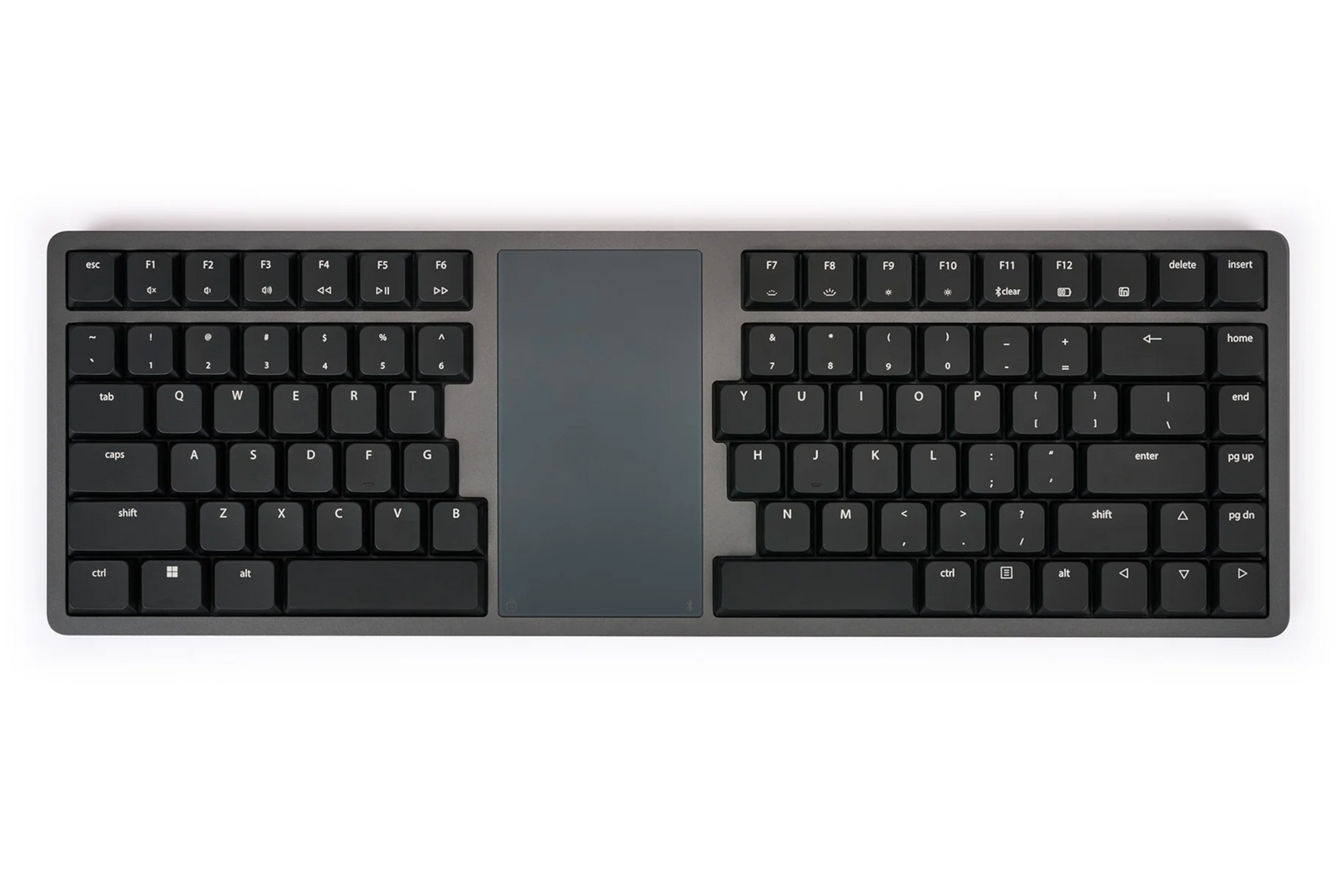
The Kinesis FORM Split Touchpad Keyboard combines a fixed split keyboard with a centrally positioned touchpad, bringing typing and cursor control into one compact working interface.
The split layout positions the hands closer to shoulder width, while the central touchpad can be operated by either hand — reducing the need to repeatedly reach sideways for a separate mouse.
The Form Split Touchpad Keyboard features a fixed split design with an integrated Windows Precision Touchpad making it the ultimate all in one ergonomic keyboard for the home, office, or the road.
The fixed split design is expertly engineered to position the arms at shoulder width, promoting a natural alignment of the wrists that remains straight and perpendicular to the home row. This helps to minimise strain and reduce the need for excessive reaching.
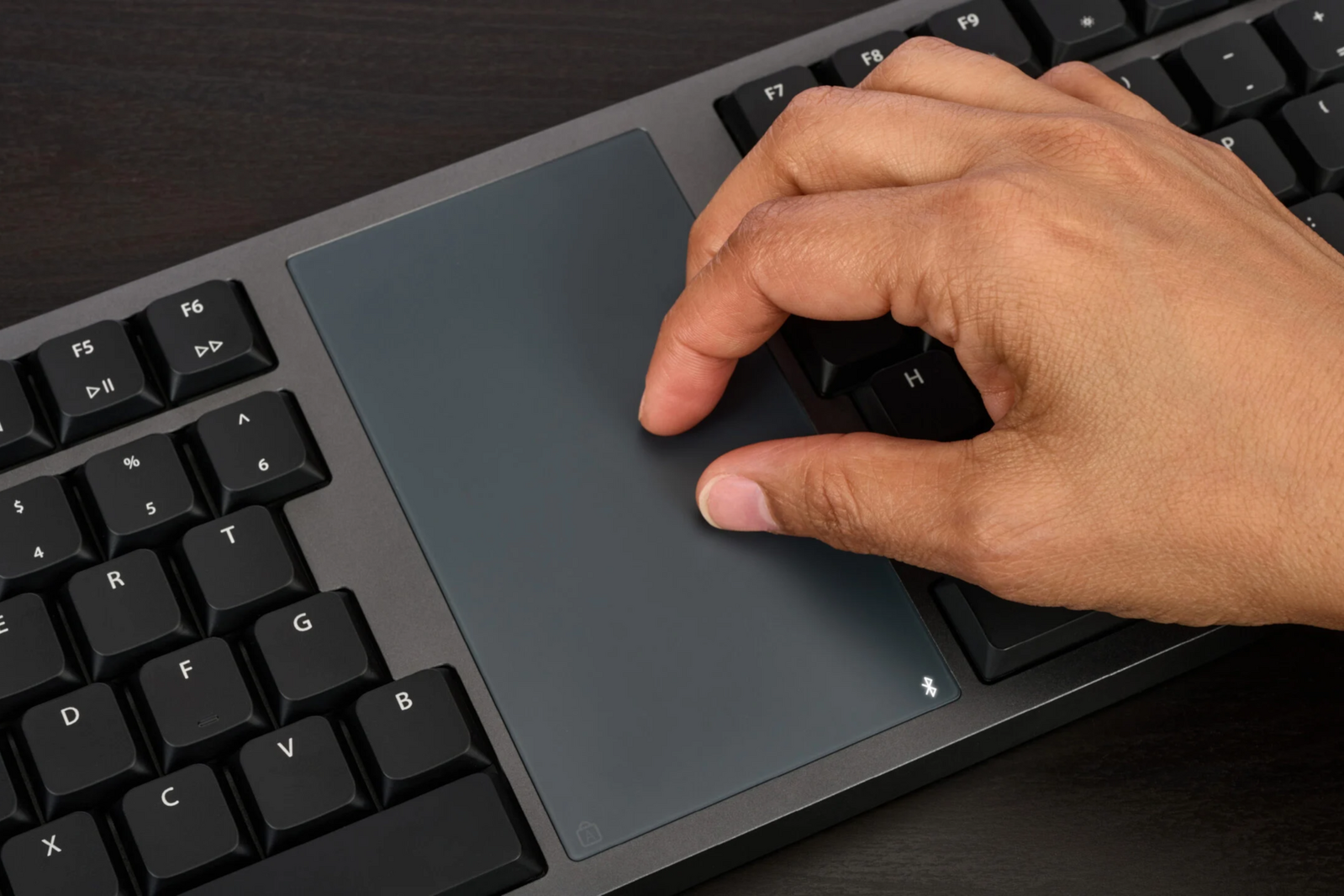
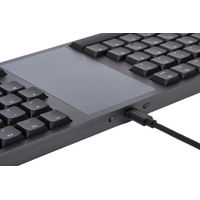
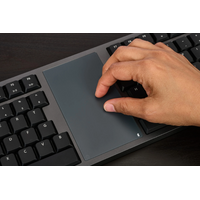
Positioned in the space between the keys is a integrated Windows Precision Touchpad. The touchpad being centrally located means either hand can be used for cursor control, eliminating the need to reach to the side for a mouse.
The integrated Windows Precision Touchpad makes it quick and easy to point, click, and scroll on just about any operating system that recognises mouse input, all without leaving the keyboard or connecting a separate pointing device.
The centrally positioned Touchpad allows both hands to access cursor control equally, facilitating balanced usage throughout the day.
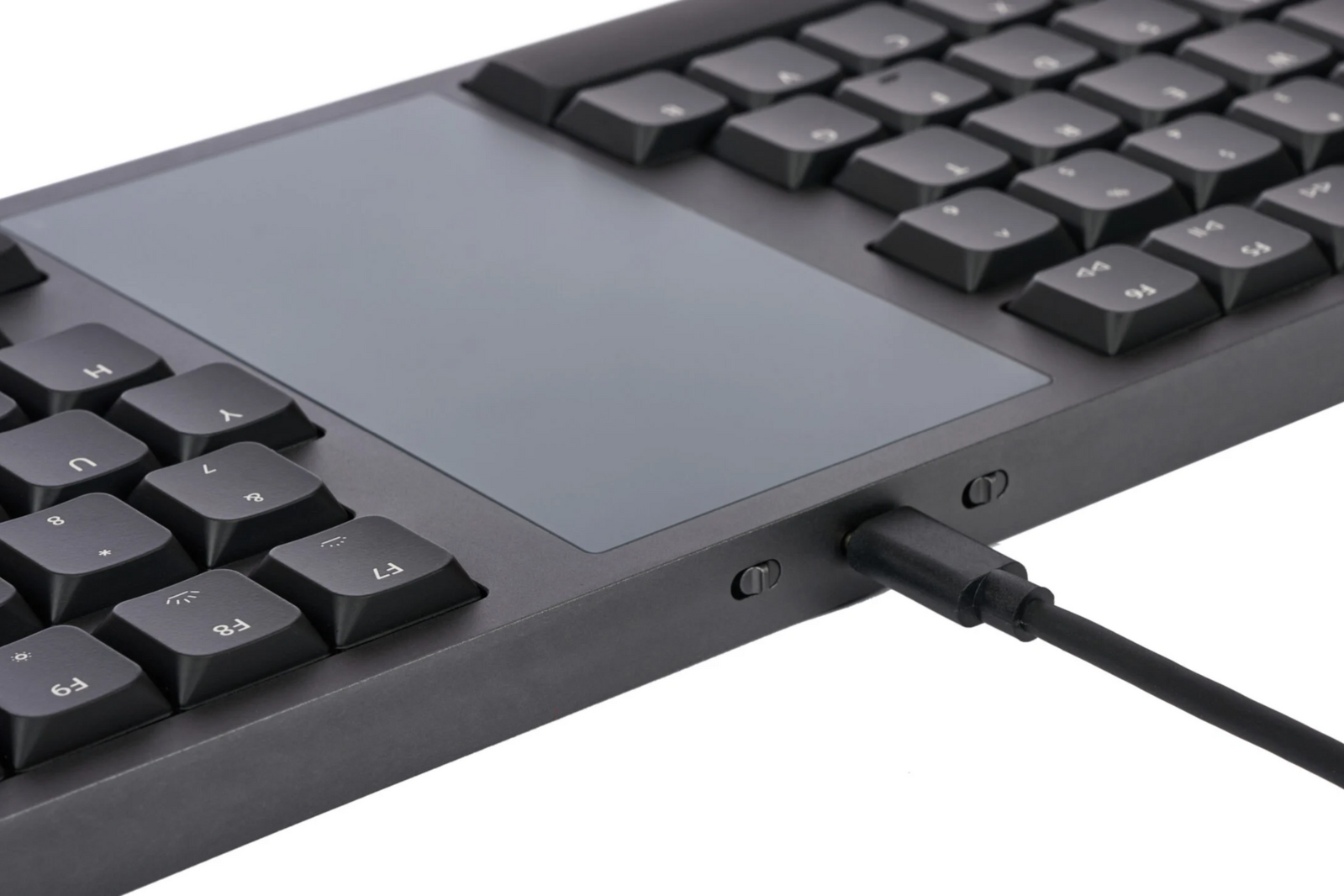
The Form can function as a wired keyboard using the included cable, which also serves to charge the device. Additionally, it is equipped with a rechargeable battery and supports Bluetooth connectivity.
The Form can maintain simultaneous Bluetooth connections with two devices, allowing for seamless switching between them.
The case is crafted from 100% precision-machined aluminium with a dark grey finish.
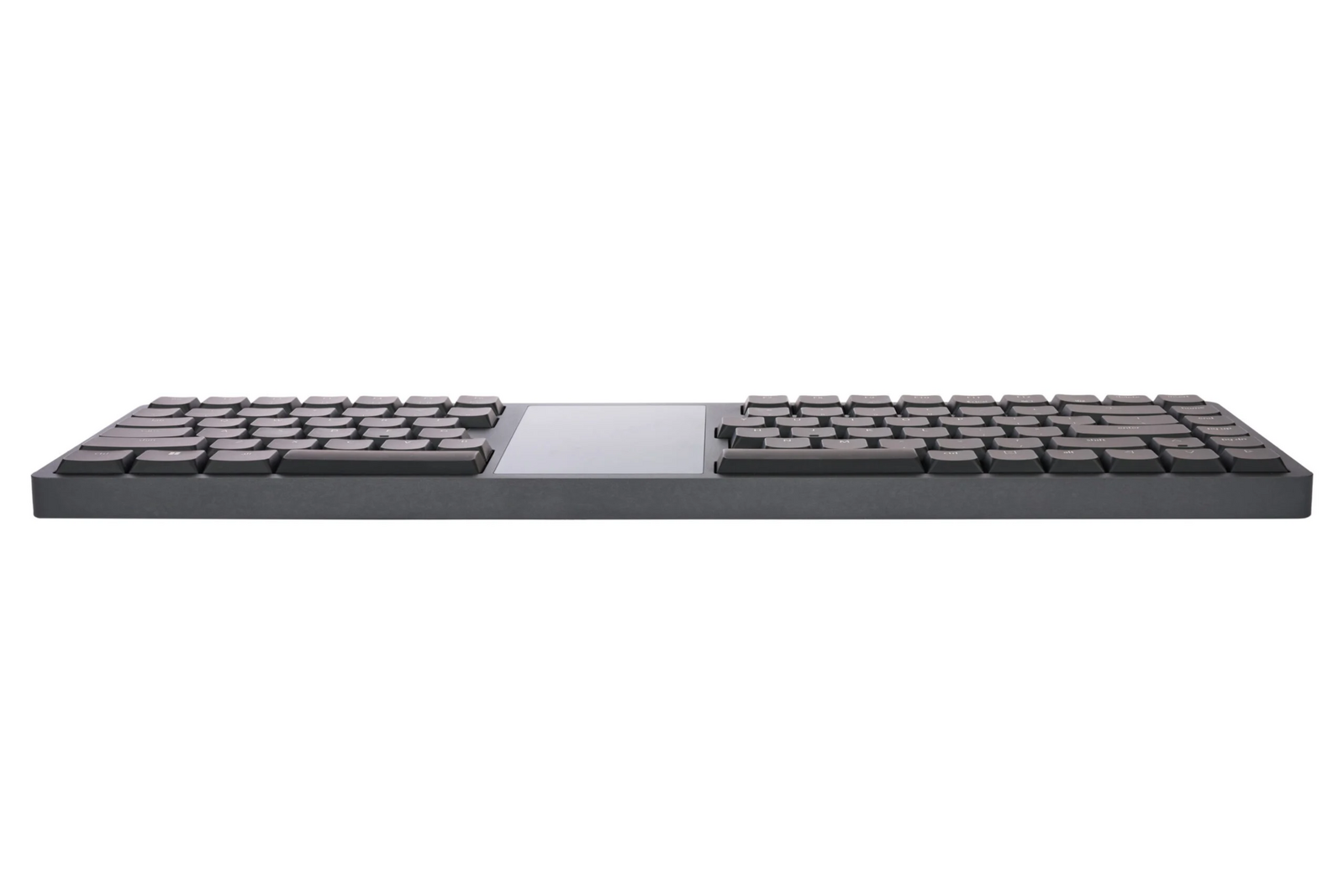
The keycaps are concave in shape, paired with low-profile mechanical switches that offer a mid-range activation force, ensuring a comfortable and precise typing experience.
Plug-and-Play compatible with all USB operating systems
-
Windows (Gestures on Win10+)
-
macOS, iOS, iPadOS (No Gestures)
-
Linux (Not all Linux systems support Bluetooth Touchpad functionality)
-
Android
-
Chrome
Smart TV Compatibility
-
Android TV OS, Amazon Fire OS, Tizen OS. Firmware update may be required.
-
Check your manufacturer for support for Bluetooth keyboards and mice
Warranty Period: 12 Months
Multichannel Bluetooth & Rechargeable Batteries
-
Wireless Bluetooth Low-Energy (BLE)
-
Range: ~30 feet
-
Battery: 2100 mAh rechargeable Lithium Ion
-
Battery life: Backlighting On: 1-2 weeks / Backlighting Off: 2-3 months
-
Multichannel: Switch instantly between 2 Bluetooth-enabled devices
NOTE: Do not charge via unsupported devices: The keyboard should only be connected directly to your PC through a native USB port for charging. If you do not have a native USB port, a powered USB hub connected to your PC is best.
Do not connect the keyboard to a power adapter, a wall outlet, or a USB port on a power strip.
Charging via these devices can result in excess voltage or current and could lead to battery failure. Damage to the battery from improper charging is NOT covered by Warranty.
Key Features
- Kinesis FORM model KB100-W
- 85-key split layout
- dual space bars
- integrated Windows Precision Touchpad
- touchpad approximately 2.5 × 4.5"
- tap-to-click operation
- two-finger scrolling
- Windows multi-touch gesture support
- low-profile Gateron KS-33 Linear Red mechanical switches
- approximately 50 g activation force
- 3.0 mm key travel
- approximately 1.3 mm buffer zone
- zero-degree keyboard slope
- global white backlighting with 4 levels
- wired USB-C operation
- wireless Bluetooth operation
- switches between 2 Bluetooth devices
- rechargeable 2100 mAh battery
- programmable through Kinesis Clique after firmware update
- approximately 406 W × 133 D × 19 H mm
- approximately 0.9 kg
- Windows, macOS, Linux, Chrome, Android TV, Tizen and Fire OS compatible for basic keyboard/mouse functions
- 2-year manufacturer warranty
.png)
.png)
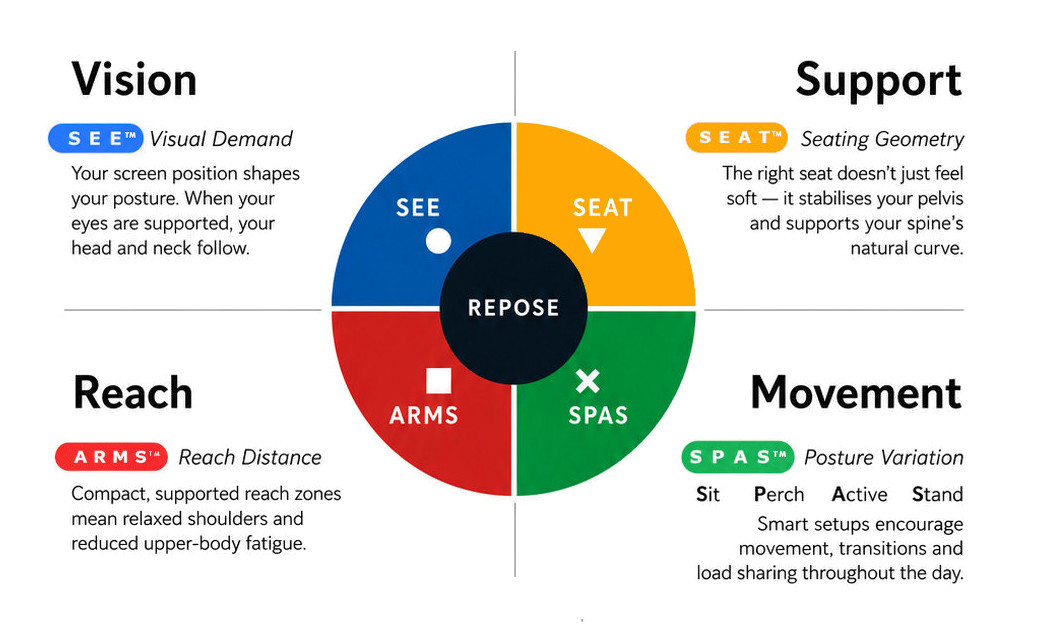
What this means for you when the 4 elements are aligned
| Corrected screen alignment → reduced neck strain |  - S E E™ - S E E™ |
| Better pelvic support → less lower back fatigue |  - S E A T™ - S E A T™ |
| Arm positioning → reduced shoulder load |  - A R M S™ - A R M S™ |
| Movement support → reduces static load |  - S P A S™ - S P A S™ |
R E P O S E™ Outcome
The Kinesis FORM supports Natural R E P O S E™ by bringing the hands, keyboard and cursor controls into one coordinated central interface.
Hands apart. Cursor centred. Less unnecessary reach.
- approximately 406 W × 133 D × 19 H mm
- Windows, macOS, Linux, Chrome and Android compatibility
12 Months
Kinesis Form Split Touchpad Keyboard

- fixed split ergonomic keyboard layout
- centrally positioned touchpad
- low-profile mechanical switches
- wired USB or Bluetooth operation
- ambidextrous cursor control
- compact aluminium construction
Who Is It For?
Suitable for users who:
- spend substantial periods working with keyboard and mouse
- want a split keyboard without separate movable halves
- experience excessive inward wrist angling on conventional keyboards
- want cursor control positioned centrally rather than beside the keyboard
- prefer touchpad control
- want to reduce repeated reach between keyboard and mouse
- work across desktop, laptop, home or mobile environments
Problem to Solve
A conventional straight keyboard brings both hands towards the centre, while the mouse is normally positioned to one side.
This can create two separate interface demands: inward wrist angling during typing and repeated lateral reach for cursor control.
The Kinesis FORM addresses both within one device.
Its fixed split layout positions the left and right key groups apart, helping the hands better follow the direction of the forearms. The large central touchpad then keeps cursor movement, clicking and scrolling directly between the two keyboard sections.
The result is a more integrated primary computer interface.
A R M S™ — Primary
Arm Support · Reach · Mouse · Surface
The Kinesis FORM is a strong application of A R M S™, helping users:
- position the hands further apart while typing
- reduce excessive inward wrist deviation
- keep cursor control directly in the central working zone
- operate the touchpad with either hand
- reduce repeated lateral reach to a conventional mouse
- keep the elbows and forearms within a more controlled working area
- combine typing and cursor control within one compact interface
This aligns directly with the ergonomicoffice Framework principle that reach is a major determinant of upper-body load.
Kinesis FORM Split Touchpad Keyboard
Split Typing + Central Cursor Control
The Kinesis FORM Split Touchpad Keyboard combines a fixed split keyboard with a centrally positioned touchpad, bringing typing and cursor control into one compact working interface.
The split layout positions the hands closer to shoulder width, while the central touchpad can be operated by either hand — reducing the need to repeatedly reach sideways for a separate mouse.
The Form Split Touchpad Keyboard features a fixed split design with an integrated Windows Precision Touchpad making it the ultimate all in one ergonomic keyboard for the home, office, or the road.
The fixed split design is expertly engineered to position the arms at shoulder width, promoting a natural alignment of the wrists that remains straight and perpendicular to the home row. This helps to minimise strain and reduce the need for excessive reaching.
Positioned in the space between the keys is a integrated Windows Precision Touchpad. The touchpad being centrally located means either hand can be used for cursor control, eliminating the need to reach to the side for a mouse.
The integrated Windows Precision Touchpad makes it quick and easy to point, click, and scroll on just about any operating system that recognises mouse input, all without leaving the keyboard or connecting a separate pointing device.
The centrally positioned Touchpad allows both hands to access cursor control equally, facilitating balanced usage throughout the day.
The Form can function as a wired keyboard using the included cable, which also serves to charge the device. Additionally, it is equipped with a rechargeable battery and supports Bluetooth connectivity.
The Form can maintain simultaneous Bluetooth connections with two devices, allowing for seamless switching between them.
The case is crafted from 100% precision-machined aluminium with a dark grey finish.
The keycaps are concave in shape, paired with low-profile mechanical switches that offer a mid-range activation force, ensuring a comfortable and precise typing experience.
Plug-and-Play compatible with all USB operating systems
-
Windows (Gestures on Win10+)
-
macOS, iOS, iPadOS (No Gestures)
-
Linux (Not all Linux systems support Bluetooth Touchpad functionality)
-
Android
-
Chrome
Smart TV Compatibility
-
Android TV OS, Amazon Fire OS, Tizen OS. Firmware update may be required.
-
Check your manufacturer for support for Bluetooth keyboards and mice
Warranty Period: 12 Months
Multichannel Bluetooth & Rechargeable Batteries
-
Wireless Bluetooth Low-Energy (BLE)
-
Range: ~30 feet
-
Battery: 2100 mAh rechargeable Lithium Ion
-
Battery life: Backlighting On: 1-2 weeks / Backlighting Off: 2-3 months
-
Multichannel: Switch instantly between 2 Bluetooth-enabled devices
NOTE: Do not charge via unsupported devices: The keyboard should only be connected directly to your PC through a native USB port for charging. If you do not have a native USB port, a powered USB hub connected to your PC is best.
Do not connect the keyboard to a power adapter, a wall outlet, or a USB port on a power strip.
Charging via these devices can result in excess voltage or current and could lead to battery failure. Damage to the battery from improper charging is NOT covered by Warranty.
Key Features
- Kinesis FORM model KB100-W
- 85-key split layout
- dual space bars
- integrated Windows Precision Touchpad
- touchpad approximately 2.5 × 4.5"
- tap-to-click operation
- two-finger scrolling
- Windows multi-touch gesture support
- low-profile Gateron KS-33 Linear Red mechanical switches
- approximately 50 g activation force
- 3.0 mm key travel
- approximately 1.3 mm buffer zone
- zero-degree keyboard slope
- global white backlighting with 4 levels
- wired USB-C operation
- wireless Bluetooth operation
- switches between 2 Bluetooth devices
- rechargeable 2100 mAh battery
- programmable through Kinesis Clique after firmware update
- approximately 406 W × 133 D × 19 H mm
- approximately 0.9 kg
- Windows, macOS, Linux, Chrome, Android TV, Tizen and Fire OS compatible for basic keyboard/mouse functions
- 2-year manufacturer warranty
What this means for you when the 4 elements are aligned
| Corrected screen alignment → reduced neck strain | - S E E™ |
| Better pelvic support → less lower back fatigue | - S E A T™ |
| Arm positioning → reduced shoulder load | - A R M S™ |
| Movement support → reduces static load | - S P A S™ |
R E P O S E™ Outcome
The Kinesis FORM supports Natural R E P O S E™ by bringing the hands, keyboard and cursor controls into one coordinated central interface.
Hands apart. Cursor centred. Less unnecessary reach.
- approximately 406 W × 133 D × 19 H mm
- Windows, macOS, Linux, Chrome and Android compatibility
12 Months