Optapad - Optical Touch Pad Mouse
Optapad Optical Touch Pad Mouse
Central Touch Control — Within Easy Reach
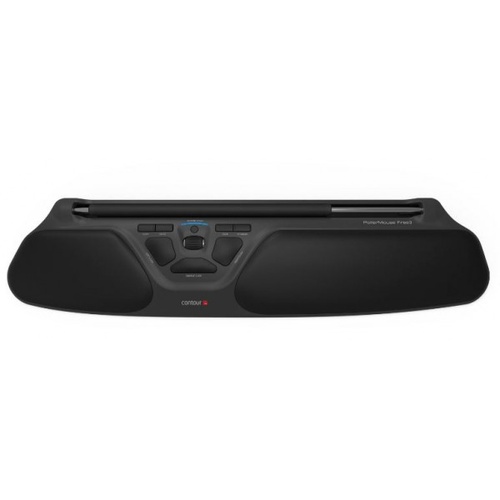
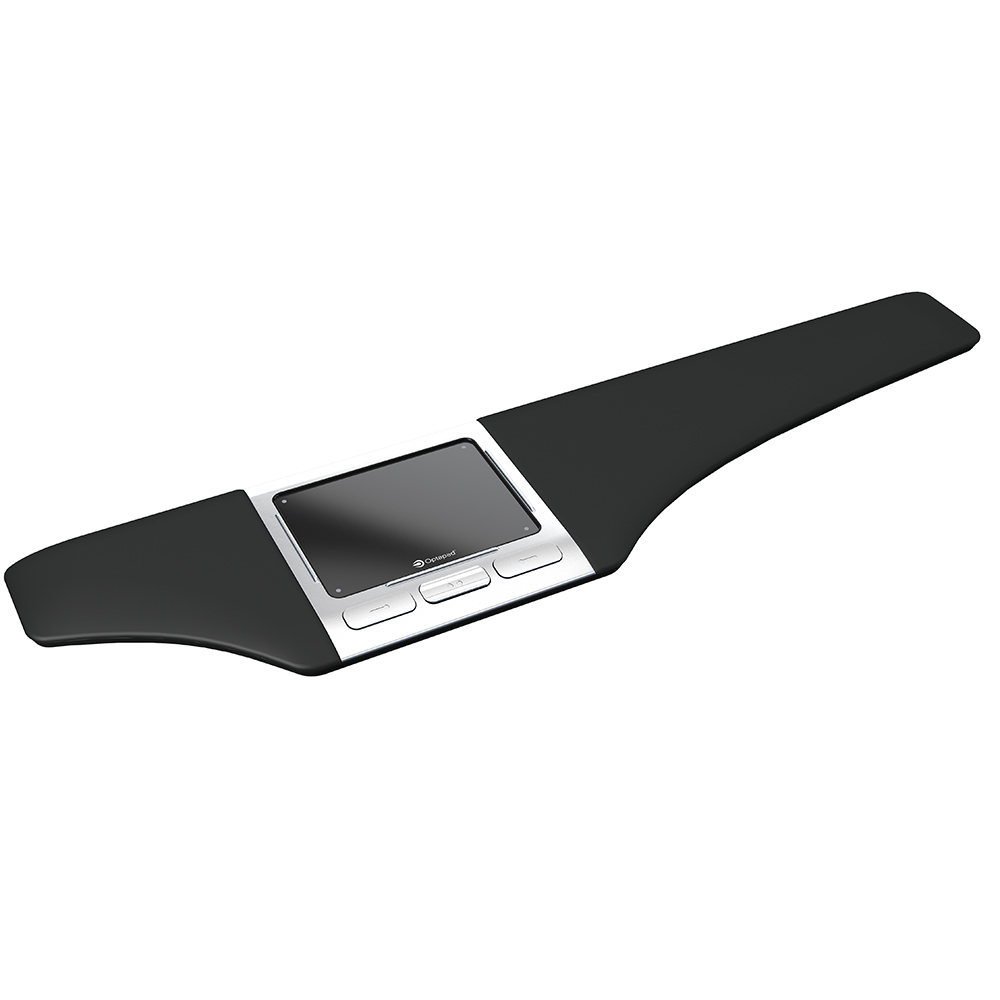
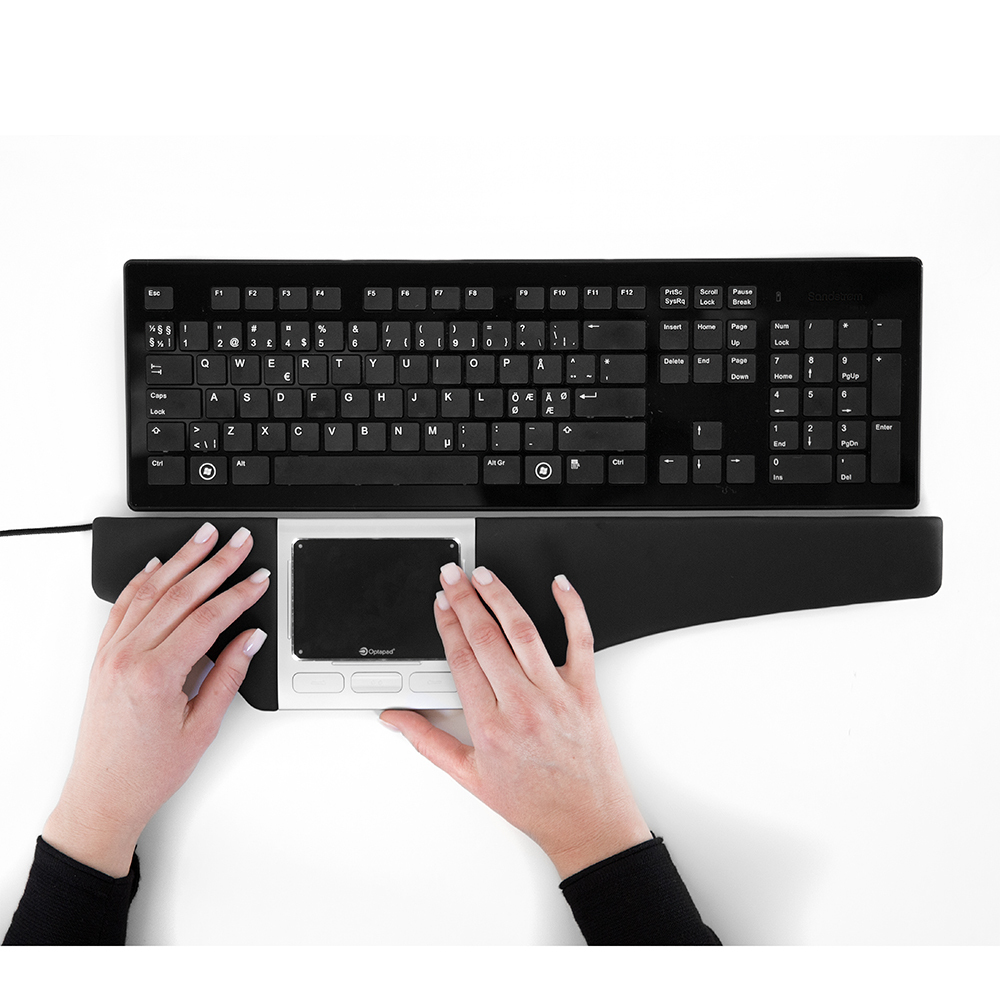
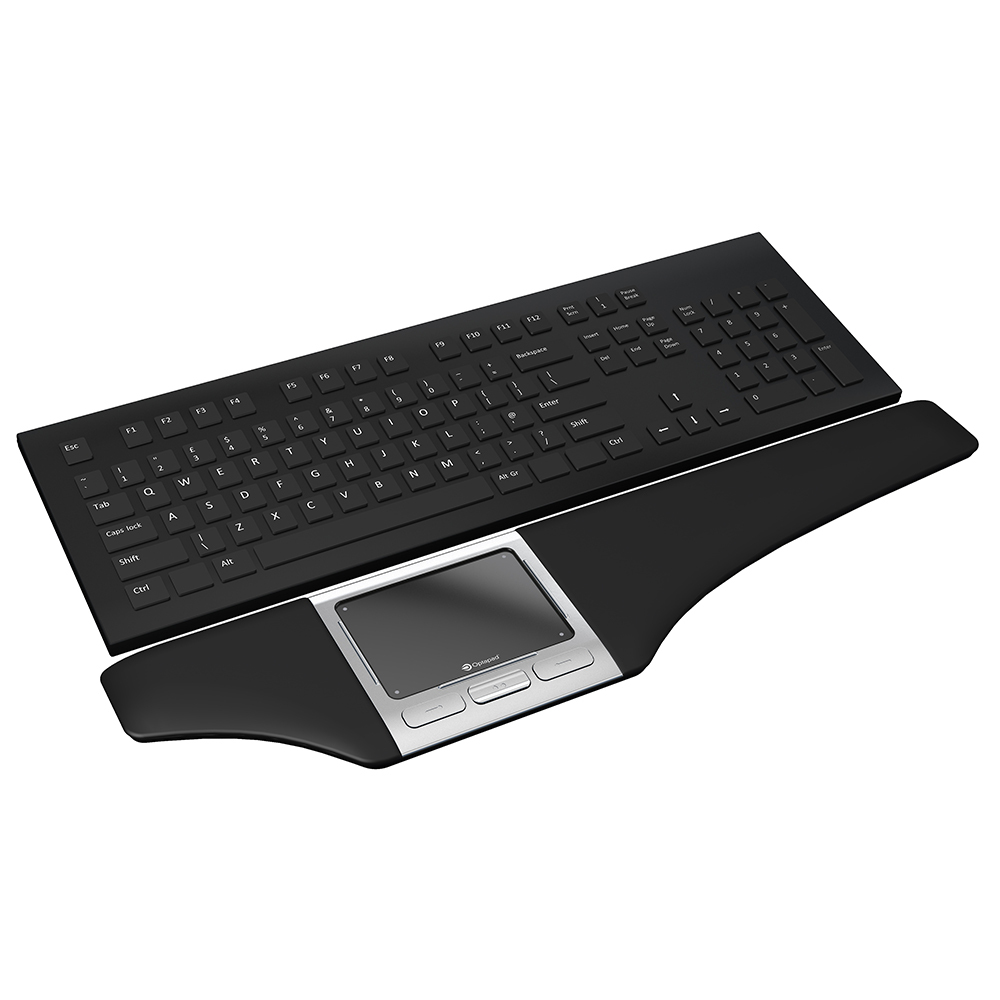
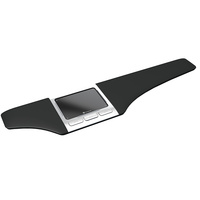
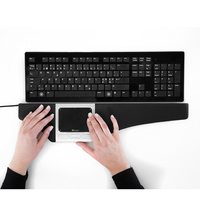
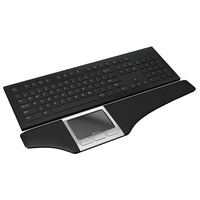
The Optapad is a centrally positioned ergonomic pointing device designed to sit directly in front of the keyboard.
Its glass optical touchpad allows cursor control with the fingers, keeping mouse functions within the central working zone and reducing the need to repeatedly reach sideways for a conventional mouse.
The Optapad blends cutting edge technology with an ergonomic mouse that reduces the need for excessive elbow and shoulder movement.
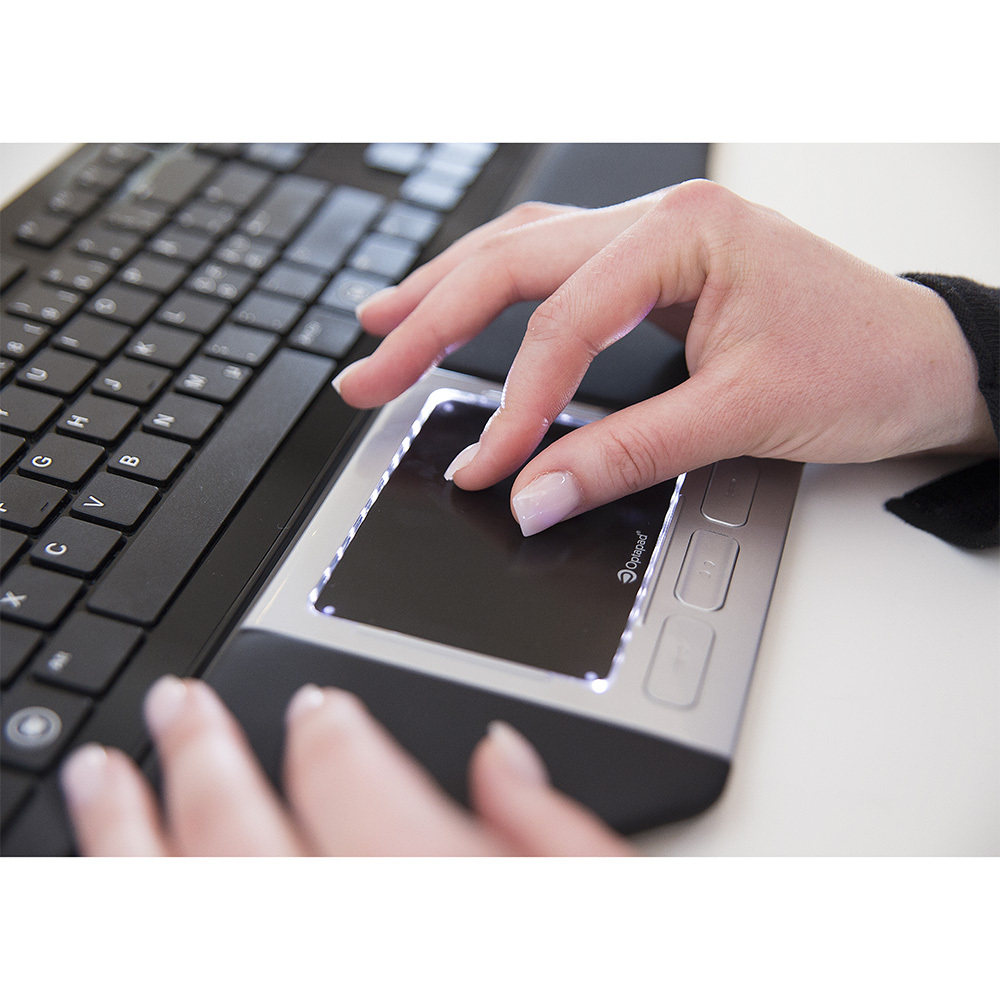
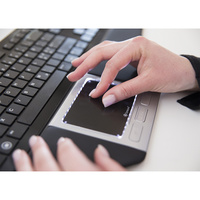
The Glass touch pad has an identical feel to your smart phone, except it is more responsive and sensitive to touch. It harnesses the optical multi-sensing zForce technology
The touch pad itself has some unique shortcuts such as the gesture to zoom being the same as on your smart phone, just pinch your fingers together then slide them apart across the touch pad surface.
It also has short cuts built in to the pad, such as copy, past, right click, double click, enable slow mode and scroll up/down.
Ensure your download the free software from the Optapad website to get the best out of this mouse.
Using the software, enables you to customise all commands on the mouse. The software can also have 10 different users added, so each person using the same mouse has their ideal shortcuts saved to the product.
The ergonomically designed in-built wrist rests reduce strain on your shoulds and neck by allow your arms to rest comfortably whilst typing and mousing. The wrist rests are removeable, cleanable and replaceable.
Key Features
- centrally positioned ergonomic pointing device
- glass optical touchpad
- zForce® optical multi-sensing technology
- familiar tap, scroll, swipe, pinch and zoom gestures
- 8 programmable buttons and touch controls
- removable wing-shaped wrist supports
- approximately 480 W × 110 D × 17.2 H mm
- wired 1.5 m USB connection
- approximately 565 g
- manufactured in Sweden
.png)
.png)
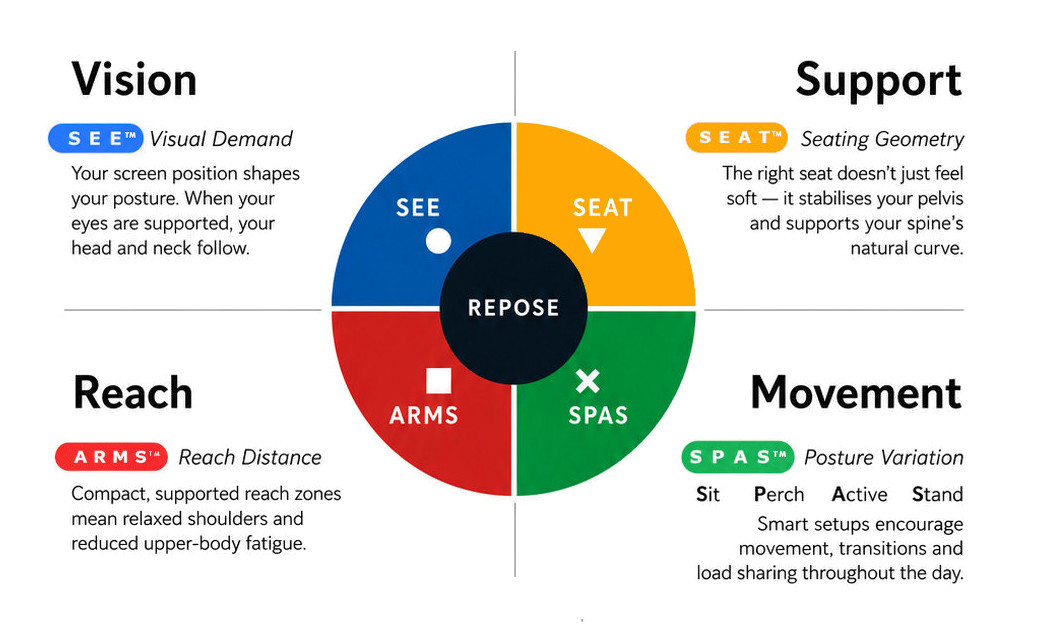
What this means for you when the 4 elements are aligned
| Corrected screen alignment → reduced neck strain |  - S E E™ - S E E™ |
| Better pelvic support → less lower back fatigue |  - S E A T™ - S E A T™ |
| Arm positioning → reduced shoulder load |  - A R M S™ - A R M S™ |
| Movement support → reduces static load |  - S P A S™ - S P A S™ |
R E P O S E™ Outcome
The Optapad supports Natural R E P O S E™ by bringing keyboard and cursor control together within the central working zone.
Touch control in the centre. Either hand. Less unnecessary reach.
- 480mm Wide
- 110mm Deep
- 17.2mm High
- Weighs 565 grams
- Central Pointing Device
Warranty Period: 2 Years
Optapad - Optical Touch Pad Mouse

- 480mm Wide
- 110mm Deep
- 17.2mm High
- Weighs 565 grams
- Central Pointing Device
Who Is It For?
Suitable for users who:
- undertake frequent keyboard and mouse work
- want the pointing device centred in front of the body
- prefer touchpad rather than conventional mouse control
- want to use either hand for cursor movement
- experience repeated side reach between keyboard and mouse
- benefit from supported forearm and hand positioning
Problem to Solve
A conventional mouse is normally positioned to one side of the keyboard, creating repeated lateral reach and one-sided mouse activity.
The Optapad brings cursor control directly in front of the user.
Its central touch surface can be operated with either hand, while the wide, wing-shaped supports provide a resting surface around the primary keyboard-and-mouse interface.
A R M S™ — Primary
Arm Support · Reach · Mouse · Surface
The Optapad supports A R M S™ by helping users:
- keep cursor control close to the keyboard
- reduce repeated side reach
- use either hand for pointing tasks
- keep the arms within a more controlled working zone
- access common mouse functions without leaving the central interface
Optapad Optical Touch Pad Mouse
Central Touch Control — Within Easy Reach
The Optapad is a centrally positioned ergonomic pointing device designed to sit directly in front of the keyboard.
Its glass optical touchpad allows cursor control with the fingers, keeping mouse functions within the central working zone and reducing the need to repeatedly reach sideways for a conventional mouse.
The Optapad blends cutting edge technology with an ergonomic mouse that reduces the need for excessive elbow and shoulder movement.
The Glass touch pad has an identical feel to your smart phone, except it is more responsive and sensitive to touch. It harnesses the optical multi-sensing zForce technology
The touch pad itself has some unique shortcuts such as the gesture to zoom being the same as on your smart phone, just pinch your fingers together then slide them apart across the touch pad surface.
It also has short cuts built in to the pad, such as copy, past, right click, double click, enable slow mode and scroll up/down.
Ensure your download the free software from the Optapad website to get the best out of this mouse.
Using the software, enables you to customise all commands on the mouse. The software can also have 10 different users added, so each person using the same mouse has their ideal shortcuts saved to the product.
The ergonomically designed in-built wrist rests reduce strain on your shoulds and neck by allow your arms to rest comfortably whilst typing and mousing. The wrist rests are removeable, cleanable and replaceable.
Key Features
- centrally positioned ergonomic pointing device
- glass optical touchpad
- zForce® optical multi-sensing technology
- familiar tap, scroll, swipe, pinch and zoom gestures
- 8 programmable buttons and touch controls
- removable wing-shaped wrist supports
- approximately 480 W × 110 D × 17.2 H mm
- wired 1.5 m USB connection
- approximately 565 g
- manufactured in Sweden
What this means for you when the 4 elements are aligned
| Corrected screen alignment → reduced neck strain | - S E E™ |
| Better pelvic support → less lower back fatigue | - S E A T™ |
| Arm positioning → reduced shoulder load | - A R M S™ |
| Movement support → reduces static load | - S P A S™ |
R E P O S E™ Outcome
The Optapad supports Natural R E P O S E™ by bringing keyboard and cursor control together within the central working zone.
Touch control in the centre. Either hand. Less unnecessary reach.
- 480mm Wide
- 110mm Deep
- 17.2mm High
- Weighs 565 grams
- Central Pointing Device
Warranty Period: 2 Years